Part of Guide to creating services in the NHS e-Referral Service on the Path to Live environments
Creating a new workgroup
To manage referrals in e-RS, service providers must belong to a workgroup. A workgroup is linked to a service and must have at least one active clinician associated to it.
This chapter outlines how to create a workgroup.
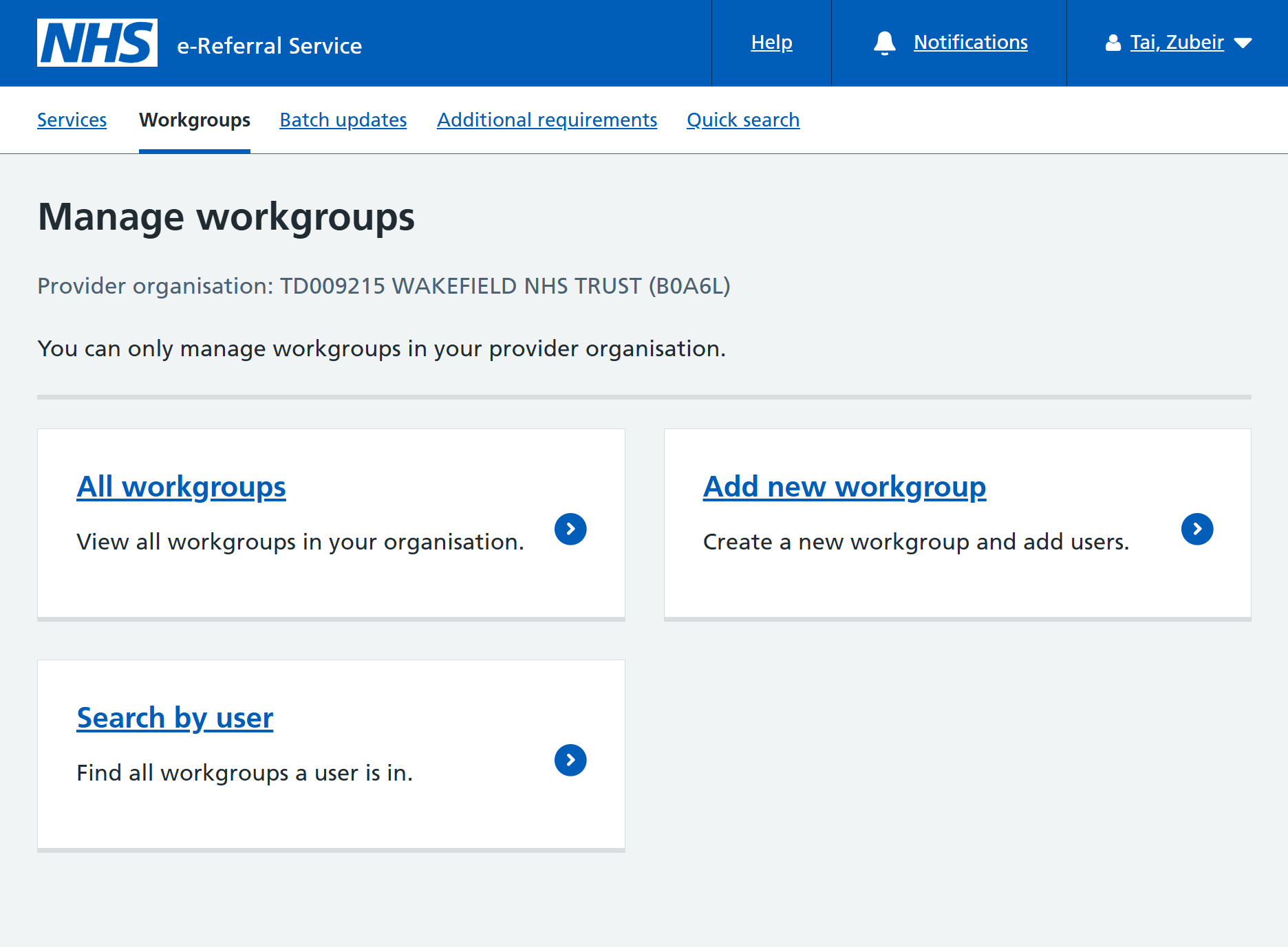
Click on the ‘Workgroups’ tab and click ‘Add new workgroup’.
Enter a unique name for the workgroup.
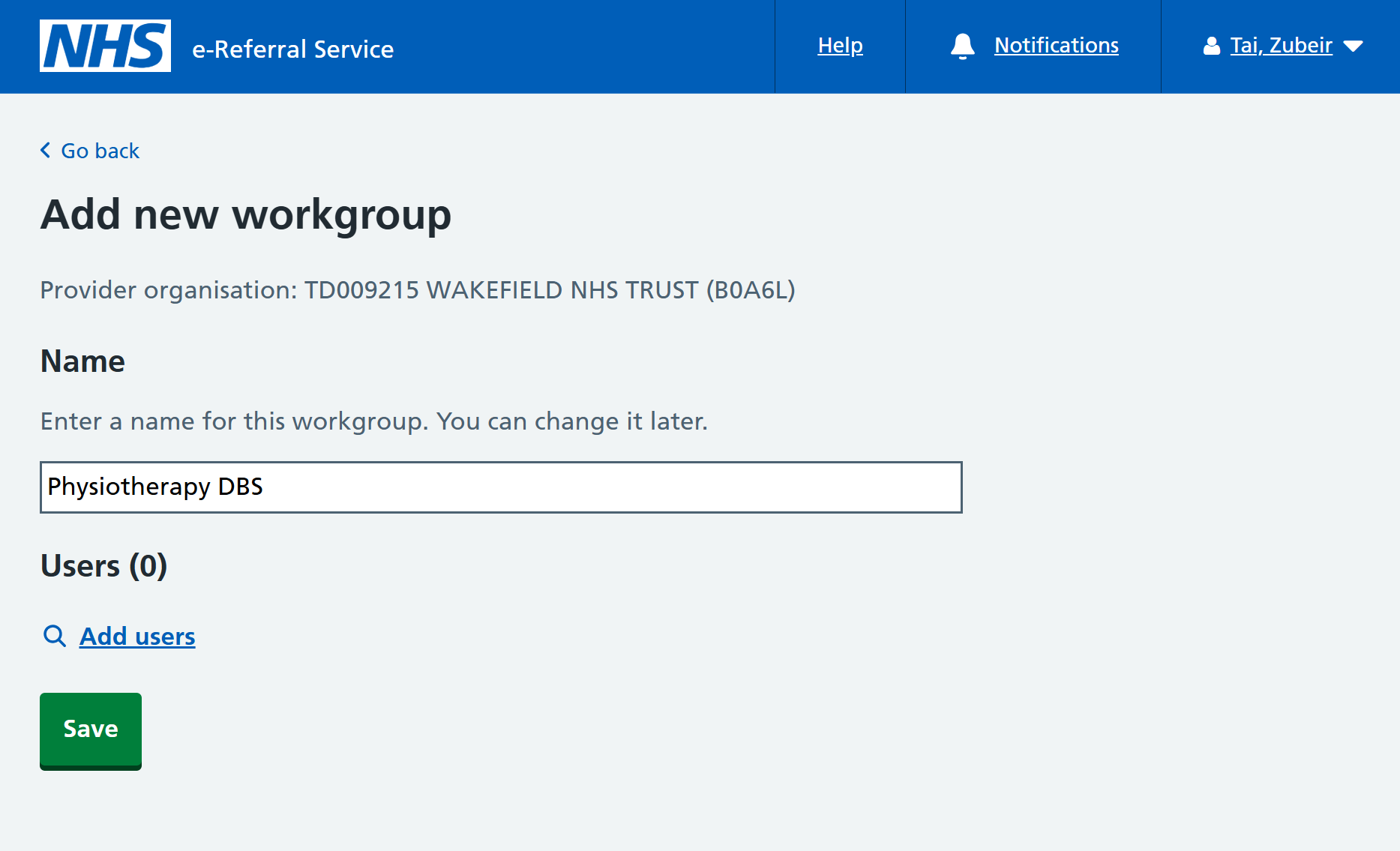
Click on ‘Add users’, the 'Add users to workgroup' overlay will be displayed.
Search for users by last name, first name and roles.
Click ‘Search’, matching users are displayed in the search results below.
Click 'Add' to assign the user to the workgroup.
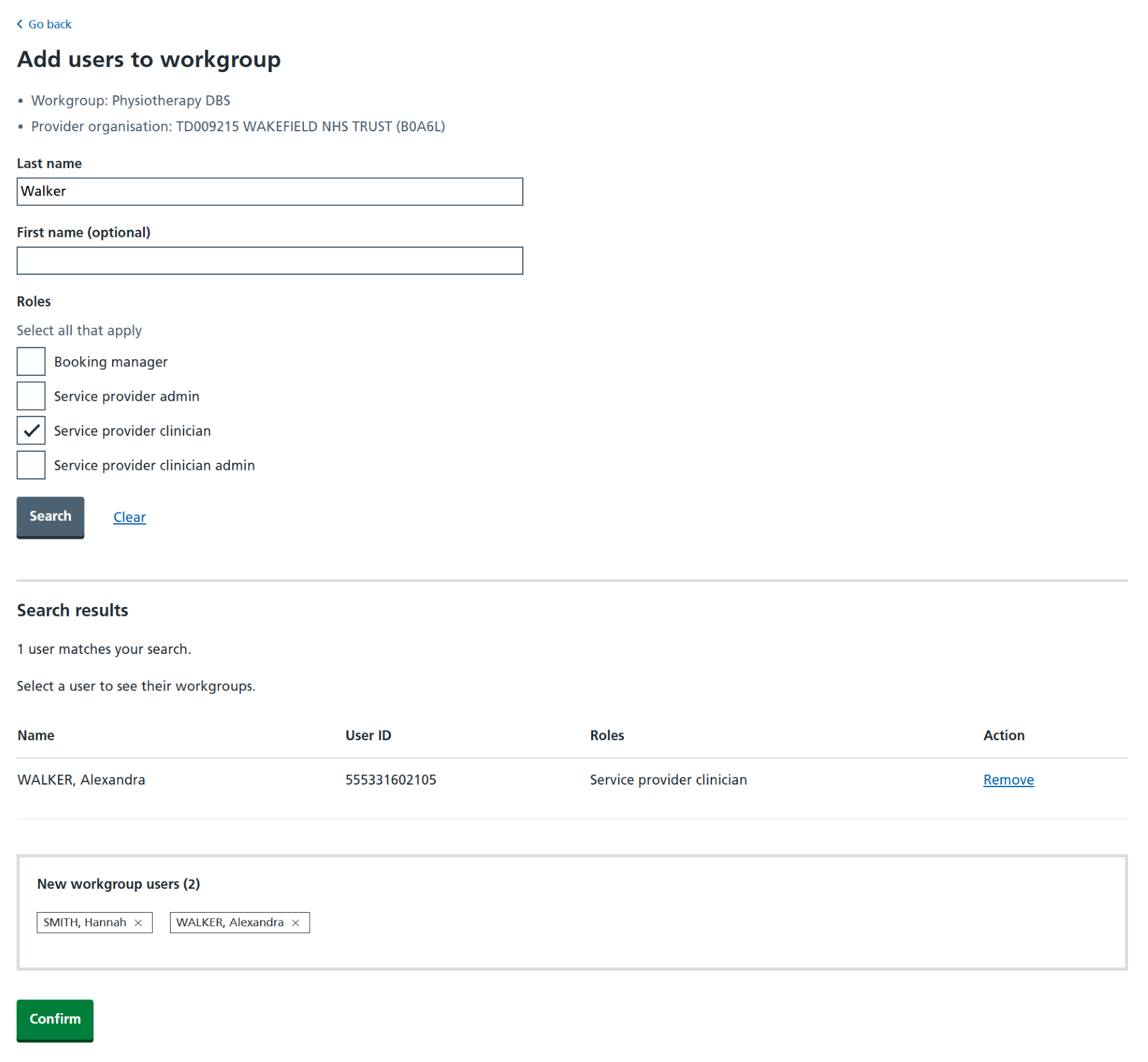
Repeat the above steps for each required user.
When the list is complete, click ‘Confirm’.
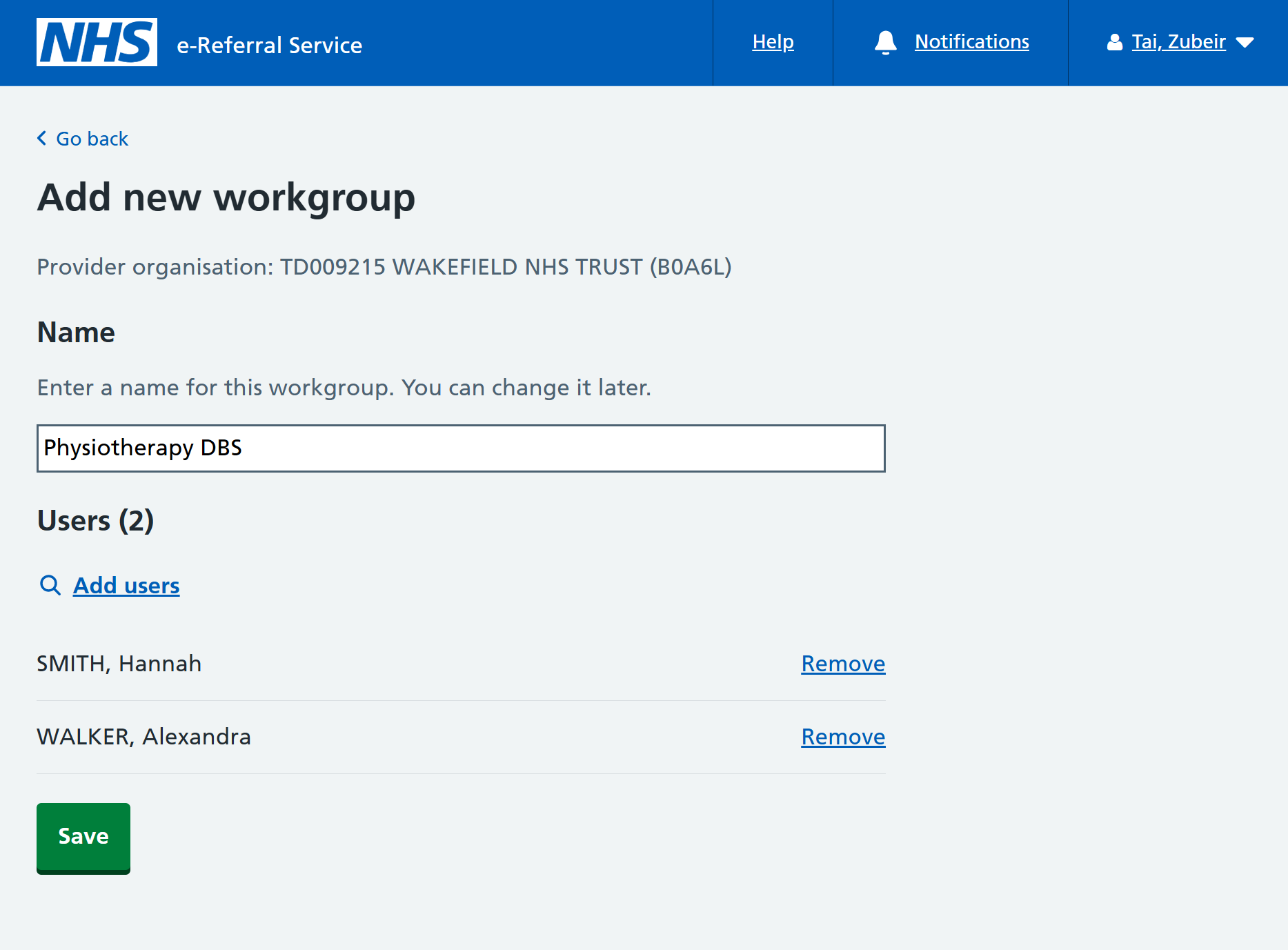
Review the list of users, then click ‘Save’.
You will be informed that the workgroup has been added.
Last edited: 5 January 2026 11:14 am