NHS.net Connect (formerly NHSmail)
Information about NHS CIS2 Authentication using NHS.net Connect.
What is NHS.net Connect?
NHS.net Connect (formerly NHSmail) is the national platform for NHS email, communication and collaboration.
To use NHS.net Connect as an authenticator, users need:
- their NHS.net email address and password
- a Care Identity profile
- the Microsoft Authenticator app, to get a security code to complete multi-factor authentication
If the user has linked their Care Identity profile to their NHS.net Connect account, they can use their NHS.net credentials and a push notification to access AAL2-enabled applications, such as NCRS.
- Enables secure authentication to national clinical information systems - without the need for a smartcard and reader
- Many NHS staff already have an NHS.net Connect account and the Microsoft Authenticator app
- No certificate renewals required
How it works
First the user needs to link their Care Identity profile to their NHS.net Connect account. There are 2 ways to do this:
- they can use the Link My NHS Accounts service
- if they already have another authenticator, they can use it to log in to register an NHS.net Connect account on their own profile
When they have done one of these, they can follow the steps below to use their NHS.net Connect account to authenticate.
Go to the national clinical information system that you wish to access. Some systems will automatically send you to the NHS CIS2 authentication page. Others may require you to select a login button.
On the CIS2 Authentication screen you'll see a list of authenticator options. Select 'NHS.net Connect' and then 'Continue'.
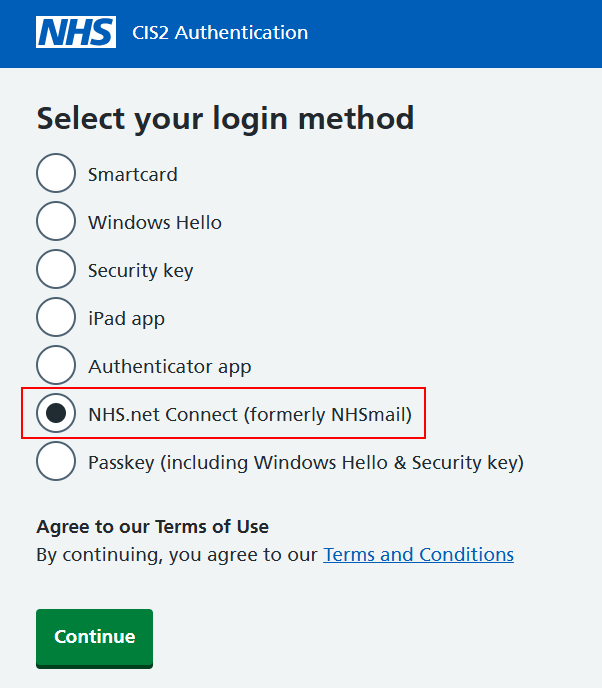
Enter your NHS.net email address and password and then select the 'Sign in' button.
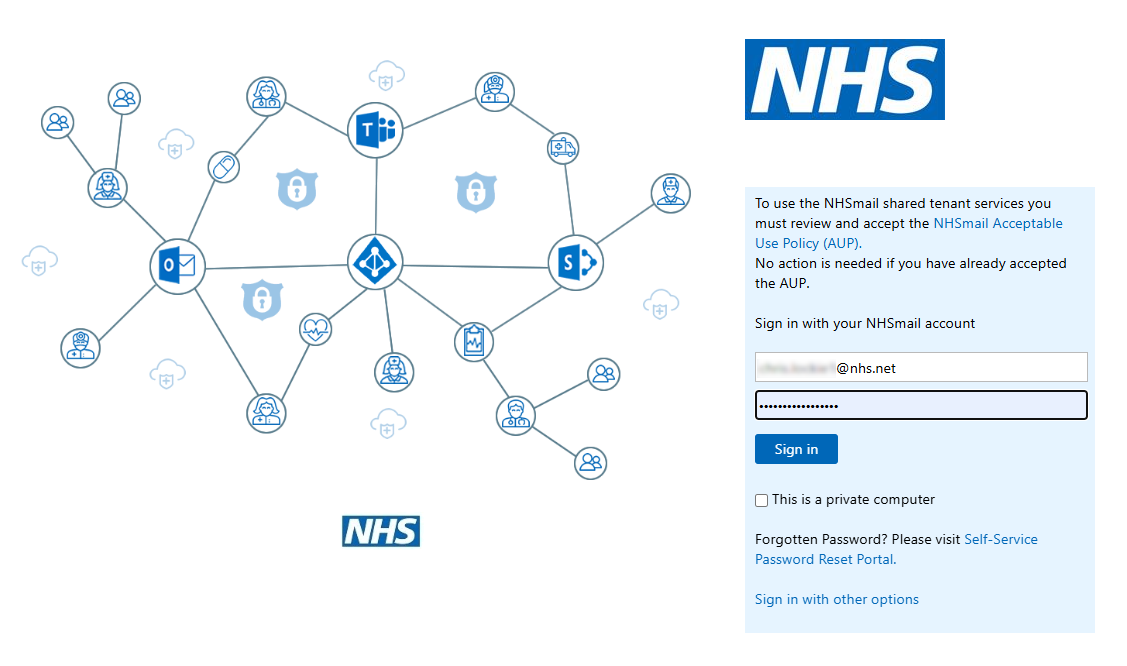
You'll now see a 2-digit code ('53' in the example here).
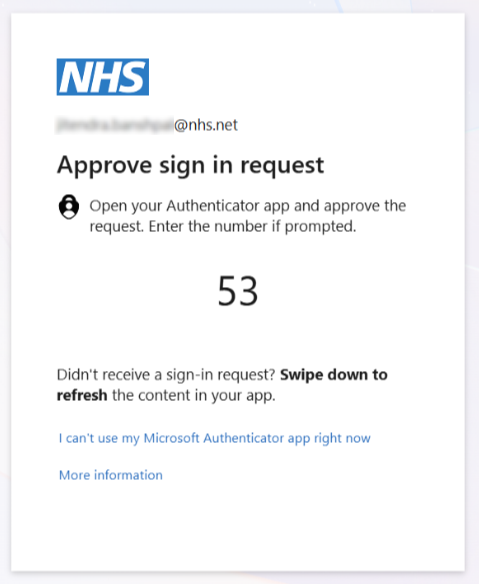
You should see a push notification on the device where you have Microsoft Authenticator installed. If you do not see a notification, open the Microsoft Authenticator app from the list of apps on your device.
In the app, you'll see a box to enter your 2-digit code along with other information. Enter your code into the box and select 'Yes' to confirm it is you attempting to sign in.
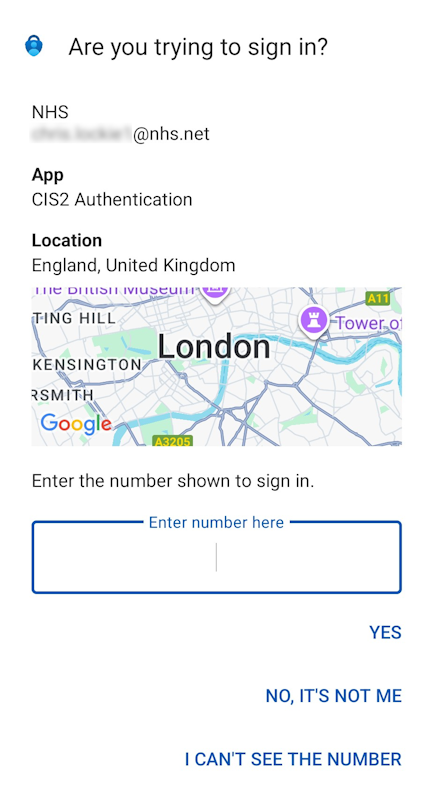
You will now be logged in to your chosen national clinical information system.
Security and service level
Using NHS CIS2 Authentication and Microsoft Authenticator offers more security than just a username and password.
CIS2 Authentication is a platinum service supported 24 hours a day, 7 days a week. See our latest availability statistics.
Help for IT teams
NHS.net Connect is currently enabled for several applications
NHS.net Connect is currently being used to access AAL2-enabled applications by organisations across health and care settings.
NHS.net Connect is available now for all organisations to use. If you would like further information please contact the NHS England Identity and Access Management team at [email protected]
Procurement
No procurement is required - NHS.net Connect is free for NHS staff, and the Microsoft Authenticator App is free to download and install with minimal effort.
Registering an NHS.net Connect account to users
If a user has an authenticator already, they can use it to log in to register an NHS.net Connect account on their own profile.
If a user does not have an authenticator already, they will need a Registration Authority to register their account for them.
Support
You can get support by going to the NHS Digital Customer Portal or emailing [email protected]
Last edited: 14 January 2026 4:56 pm