Register an NHS.net Connect account on your own profile
How to use Care Identity Management to register an NHS.net Connect account that you can then use to authenticate in place of a smartcard.
NHS.net Connect is the new name for NHSmail.
Register your device
Go to the Care Identity Management start page and log in with your existing authenticator.
When you've logged in to Care Identity Management without a Registration Authority role, select the option to 'Add other authenticators'.
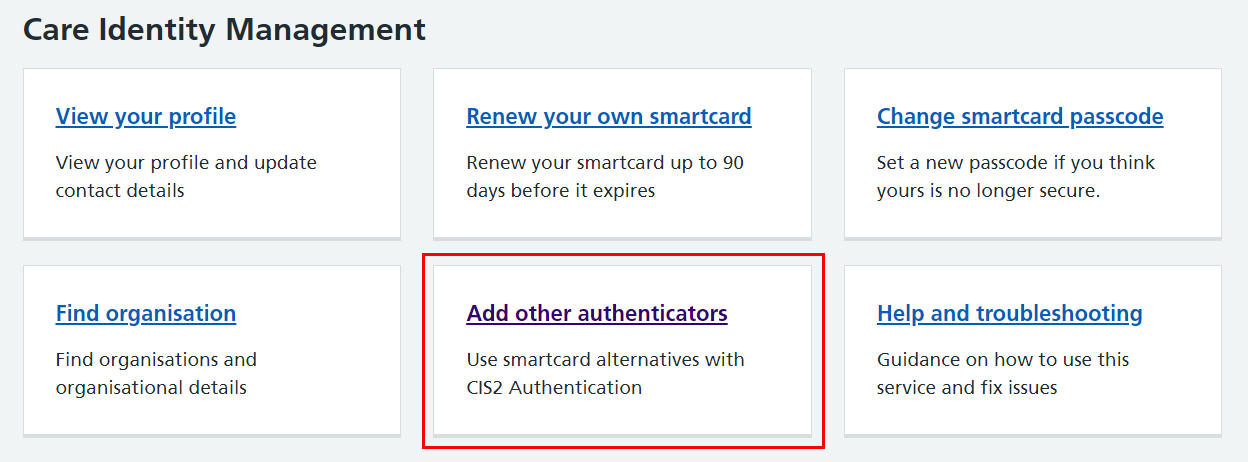
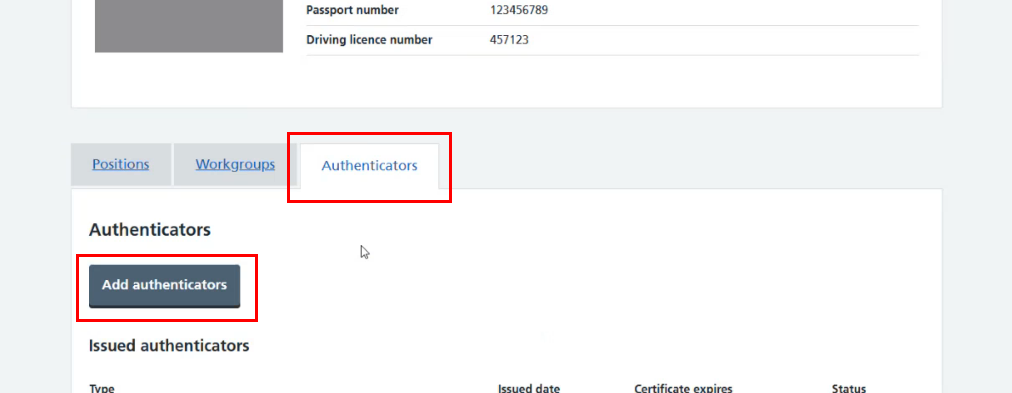
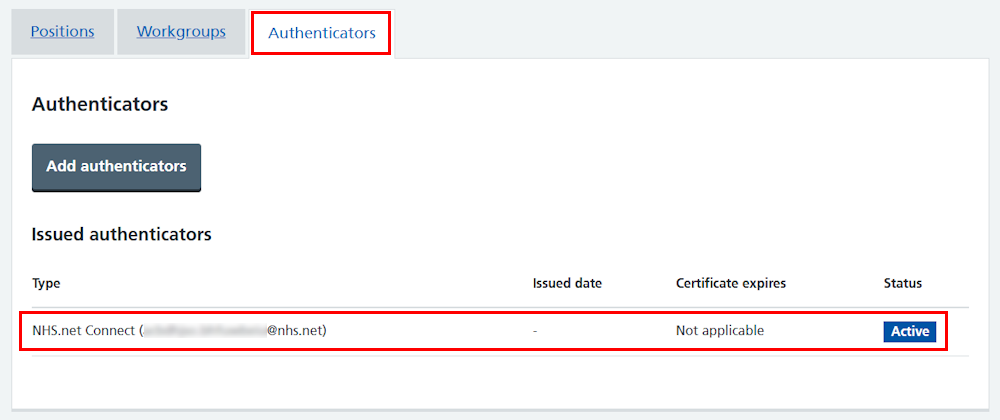
Alternatively you can use the home page panel to 'View your profile', then in the 'Authenticators' tab select 'Add authenticators'.
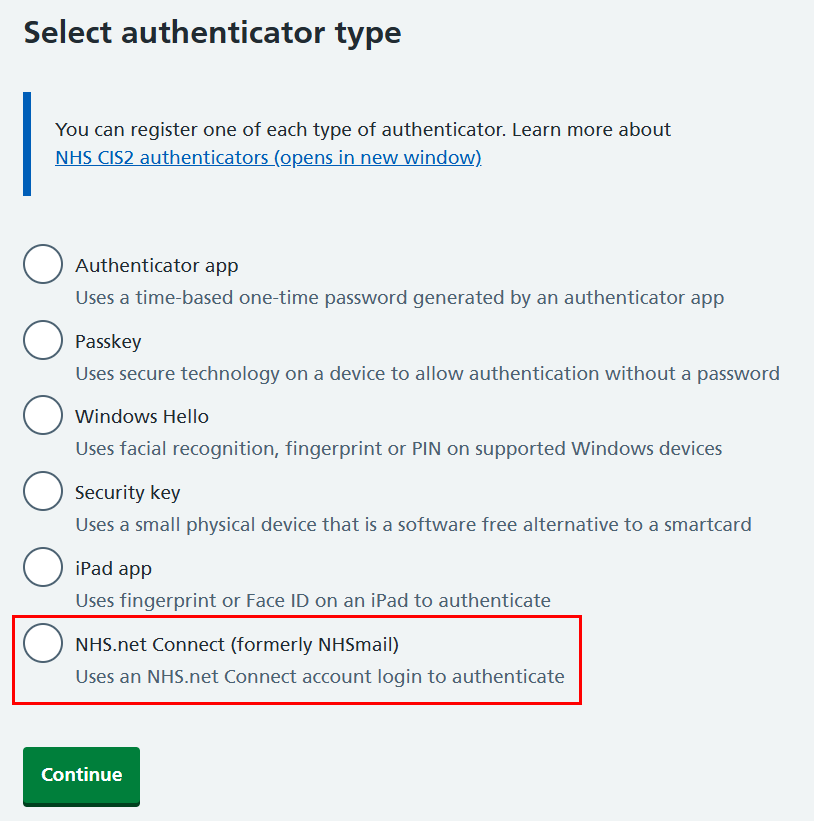
From the list of authenticators, select 'NHS.net Connect'.
You'll now see a screen with instructions on how to register the device. Select the check box and 'Register NHS.net Connect' when you're ready to proceed.
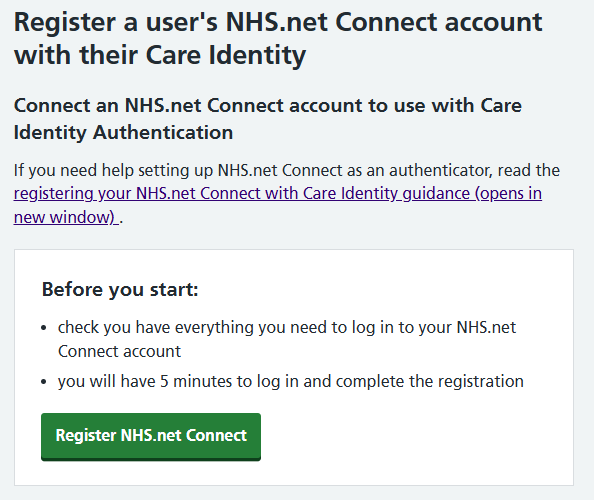
You will now be taken through additional steps required to register the NHS.net Connect account.
If you return to your user profile screen, you'll now see your NHS.net Connect account in the list of authenticators.
More information
Last edited: 13 July 2026 2:07 pm