Design and build your software
Technical documentation for integrating health and social care applications with CIS2 Authentication.
Overview
Integrating with CIS2 Authentication allows your software to:
- authenticate a health or social care worker, using a range of authenticators, including smartcards, Windows Hello, our iPad app and passkeys
- get the user’s personal details such as their unique ID, name and email address
- get the user’s national RBAC access permissions
- get other information about the user
- access some of our national APIs
Integrating with our APIs
If you are integrating with CIS2 Authentication to access one or more of our national APIs, follow our API security and authorisation guidance. You might end up back here depending on which integration pattern you choose.
How it works
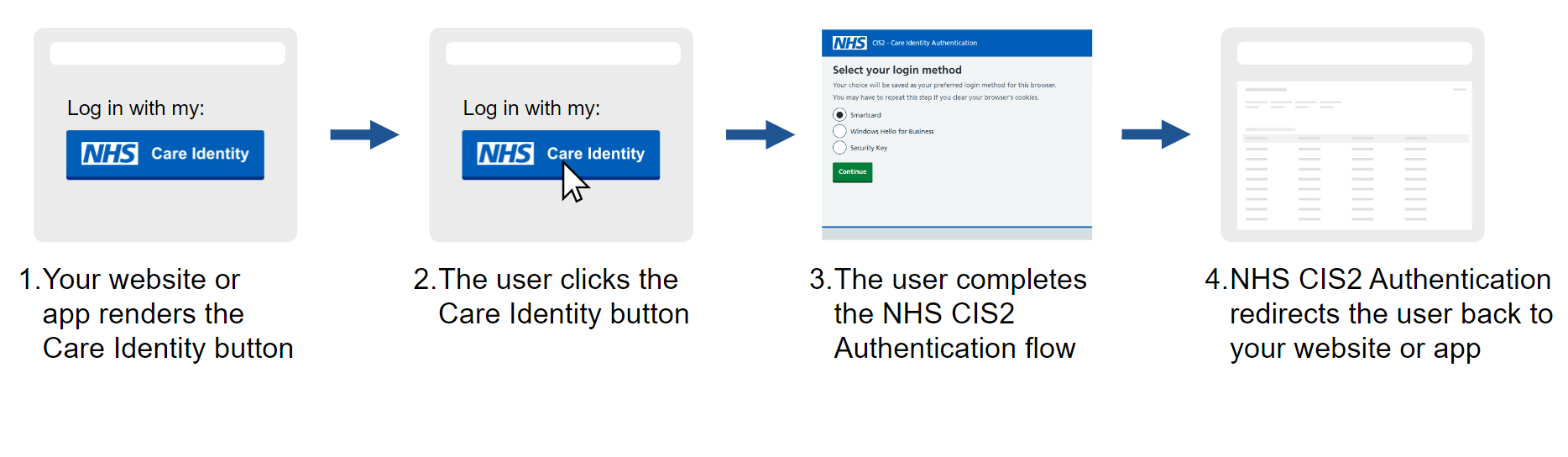
CIS2 Authentication uses the open standard Open ID Connect (OIDC).
The following sequence diagram shows how your application interacts with CIS2 Authentication:

In words:
- The healthcare worker launches the healthcare application.
- The healthcare application redirects the healthcare worker's browser to CIS2 Authentication's authentication endpoint.
- The healthcare worker signs in to their CIS account (using their chosen authenticator).
- CIS2 Authentication redirects control back to the healthcare application, with an authorisation code.
- The healthcare application calls CIS2 Authentication's token endpoint, with the authorisation code, and receives an ID token and an access token in return.
- Optionally, the healthcare application calls CIS2 Authentication's user info endpoint, with the access token, and receives the healthcare worker's user information in return.
CIS2 Authentication is primarily intended to be used with browser-based applications, but it can also be used with native desktop and mobile applications.
Design your integration
Before you build your integration, you need to make some key design decisions.
You can do these in any order.

Work out how your CIS integration will look for your users, including whether to use it as your primary sign in or an alternative sign in.
Decide whether your application requires AAL2 or AAL3.
An off-the-shelf component might make your integration easier.
There are three client authentication options to choose from: client secret, private key JWT or client secret JWT.
This includes whether the user is always asked to sign in and how to sign the user out.
You can get the user's unique identifier, name, professional registration number, organisation associations, access permissions and more.
Using national RBAC might save you time and might make it easier for admin users to manage user permissions. You'll need it to access some of our national APIs.
Build your integration
Follow these steps to build your integration.
You should follow the steps in order, 1 to 6.

Gain access to our Path to Live and production CIS2 Authentication environments.

How to add the Care Identity button to your service, including information on when to use it, sizing, style and a link to download the button.

Learn how to get configuration information for the CIS2 Authentication environments.

Implement the OpenID Connect Authorization Code Flow to sign users in with CIS2 Authentication.

Learn how national RBAC works and how to use it in healthcare software.

Guidance on best practice for session management, both in general and with NHS CIS2 Authentication in particular.
Further information
The following guides cover specific topics that are referenced from one or more of the build steps.
| Scopes and claims | A detailed description of the scopes and claims supported by CIS2 Authentication. |
| Authenticators | How to manage the authentication methods supported by CIS2 Authentication. |
| Key management | How to manage keys when using JSON Web Signatures. |
| Security considerations | Security considerations when using CIS2 Authentication and specific TLS requirements. |
| Role selection | How to select and change the user's national RBAC role using CIS2 Authentication. |
| Native applications | OIDC Authorisation Code Flow is primarily a browser-based standard, but it's also possible to use it in native desktop and mobile applications. |
Next steps
Once you've designed and built your integration, the next step is to test your software.
Last edited: 17 March 2026 10:07 am