View appointments
'Appointment managers' can view booked and unbooked appointments at their site.
View booked and unbooked appointments
Make sure you have added availability first before using this functionality. Weeks start on a Monday.
1. Select appropriate site.
2. Click on 'View availability' in the top menu or the 'View availability' at the bottom of the landing page.
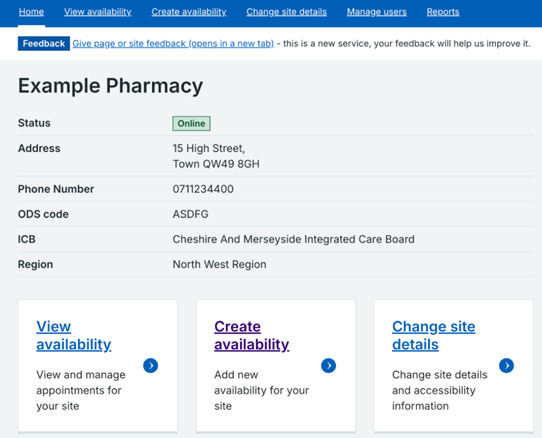
3. Click on 'Week view' or 'Month view'.

4. You will be shown the number of booked and unbooked appointments by service type for the week or month you have selected.
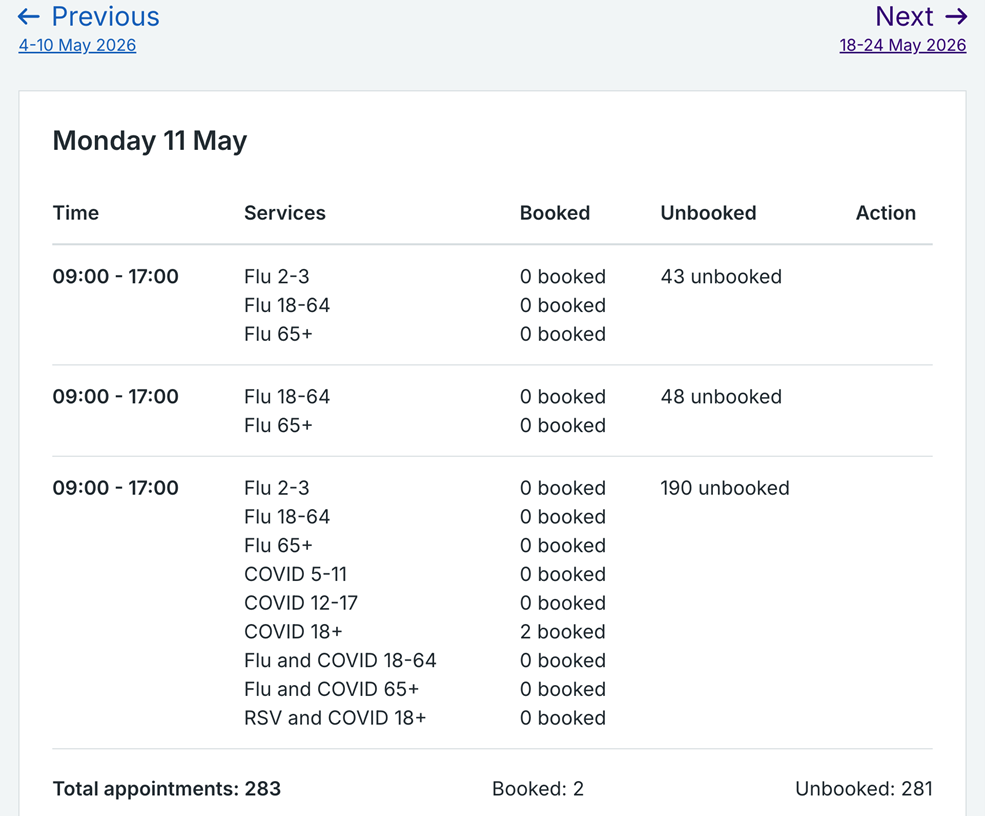
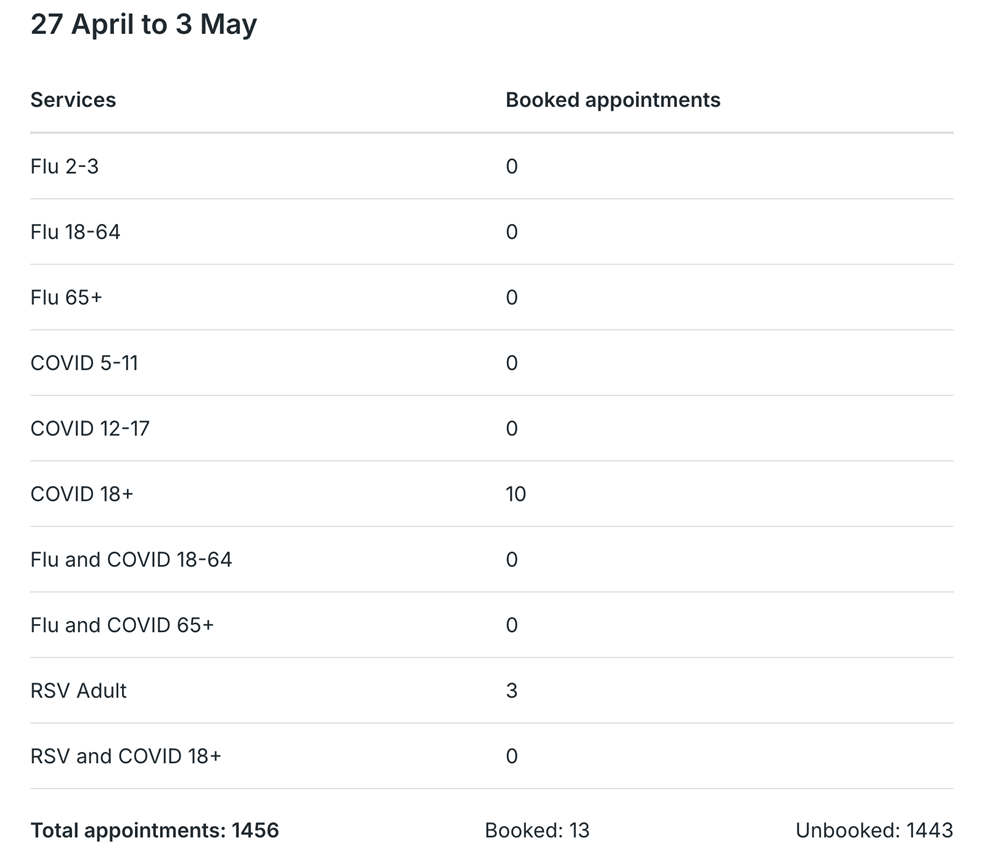
5. If you select 'Day view' you will see the list of people who have booked in for a particular day.
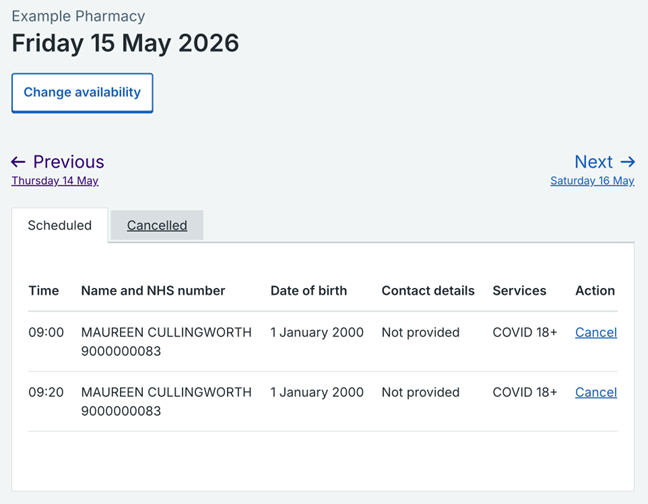
6. In the 'Day view', for each person scheduled to come in you’ll see:
- the time of their appointment
- their name and NHS number
- their date of birth
- their contact details
- the vaccination or service they are going to receive
7. You can view cancelled appointments in both the 'Day view' and the 'Week view'. If you are in the 'Day view', select the 'Cancelled' button at the top of the day you are looking at.
If you are in the 'Week view', select the 'View cancelled appointments' link at the bottom of the day you are looking at in that particular week.

Please note that members of the public are shown available appointments on the NBS up to 25 days in advance of when they become eligible. NBS does not accept same day bookings.
Last edited: 14 May 2026 12:08 pm