Cancel a session
Cancel a single session on a day.
This journey will be different depending on whether you have bookings in a session and whether all cancelled bookings have provided an email address/mobile number.
To cancel a session
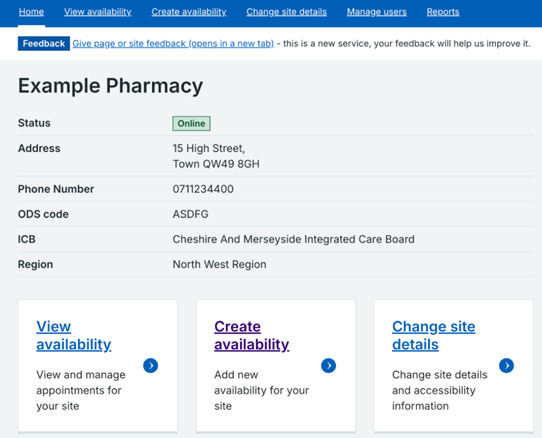
1. Click on 'View availability' in the top menu or 'View availability' at the bottom of the landing page.
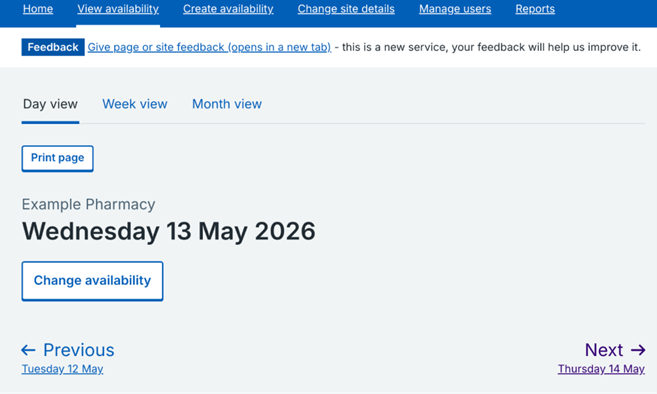
2. Click on 'Week view'.
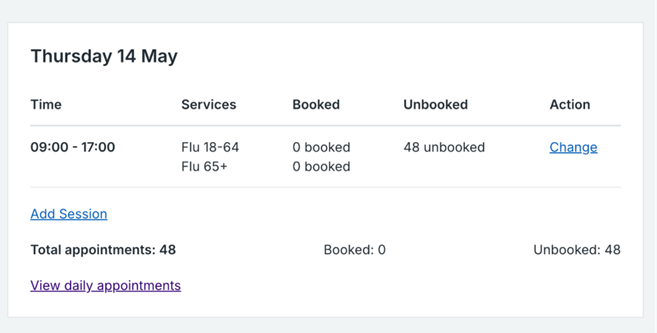
3. Find the session that you want to change and click 'Change'.
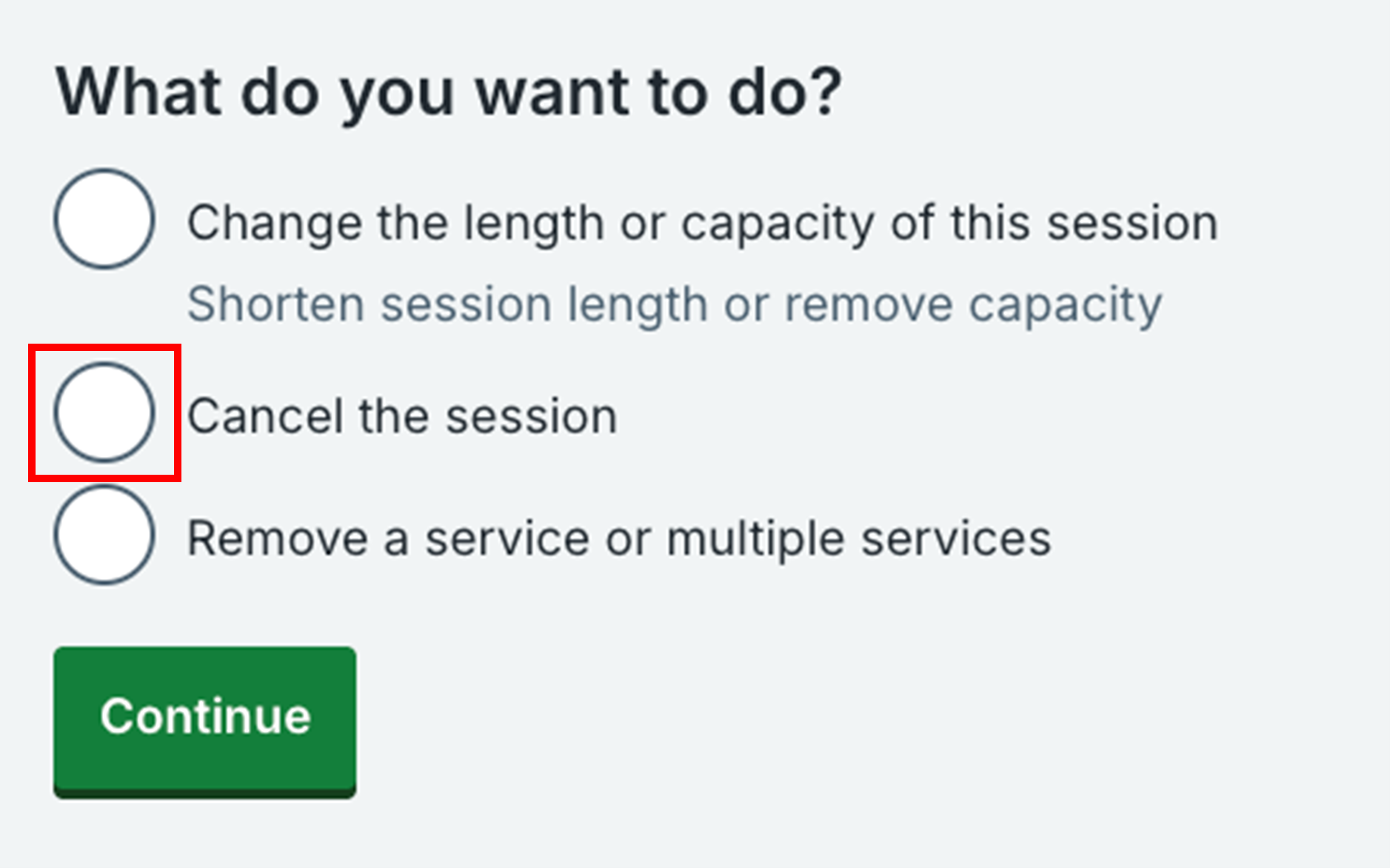
4. Select 'Cancel the session' and click 'Continue'.
If there are no bookings
5. You’ll be asked to confirm that you want to cancel the session. Click 'Cancel session' to confirm or 'No, go back' to go back to the previous screen.
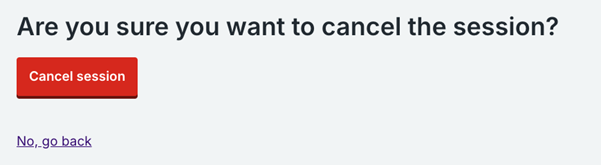
6. The session will be cancelled and will no longer appear.
If there are bookings
5. You will be shown the number of bookings that will be affected by cancelling this session and you can choose to cancel the appointments or keep them but still cancel the session.
6. Select 'Yes, cancel the appointments and cancel the session' to cancel both appointments and the session or select 'No, do not cancel the appointments but cancel the session' to keep the appointments but cancel the session.
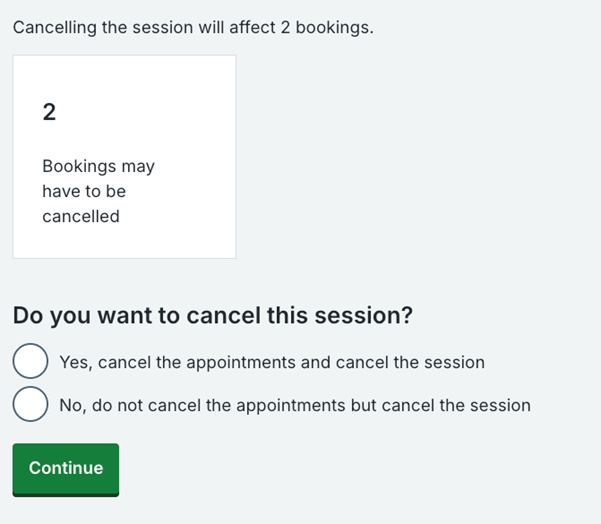
If you choose 'Yes, cancel the appointments and cancel the session'
7. You’ll be asked to confirm that you want to cancel the appointments. Click 'Cancel appointments' to confirm or 'No, go back' to go back to the previous screen.
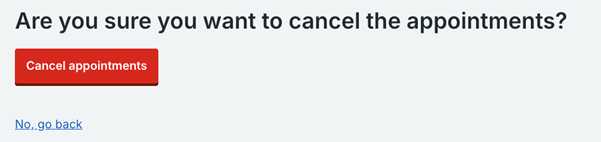
8. The session will be cancelled and you will see the number of people that will receive a notification that their appointment has been cancelled. If there are any people who did not provide a mobile number or an email address, there will be a link to click on to view the list of names. Some people may have provided a landline number.
If you choose 'No , do not cancel the appointments but change this session'
7. You’ll be asked to confirm that you want to cancel this session. Click 'Cancel session' to confirm or 'No, go back' to go back to the start of the change journey.
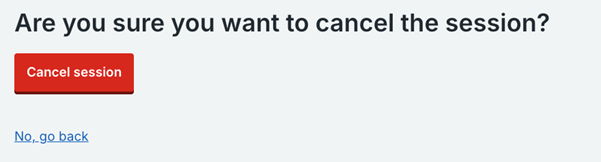
8. The session will be cancelled and the appointments will appear in the scheduled list of daily appointments.
Last edited: 14 May 2026 9:46 am