Release 15.6 - Friday 22 August 2025
1. Spell check option
To support accessibility and inclusivity, and to save users time, the right mouse click browser spell check option has been enabled from any free text field.
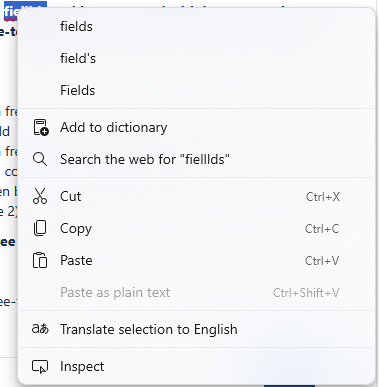
If you access e-RS through EMIS, right-click and spell check won't work. This is due to a limitation in EMIS and is not something e-RS can control.
2. Defect fixes
The following areas were fixed in this release:
Service definers
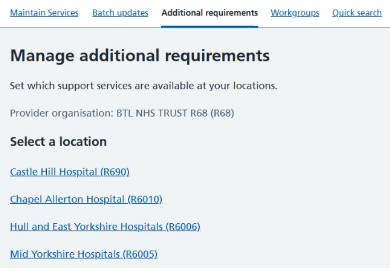
a) When authenticated into e-RS as a service definer user and selecting the ‘Additional Requirements’ tab, the user is displayed the Service Locations associated to the user with the NACS Organisation Code in brackets after the service name.
Referrers
b) Worklist filter results shown
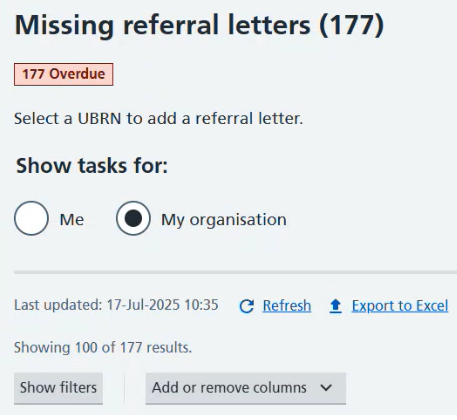
When worklist filters are applied the number of filtered results and the total number of worklist items will be shown below the ‘Last updated’ information.
c) Professional User is displayed updated screen when no Registered GP Practice is identified
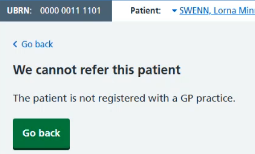
In rare cases, a referral may be created for a patient who is later unregistered from any GP practice. If an attempt is made to locate a service or book an appointment for the referral, an error message will now be displayed.
Last edited: 29 September 2025 1:33 pm