Smartcard software for authentication via the internet
Information about smartcard software that enables authentication via the internet, without the need for a Health and Social Care Network (HSCN) connection.
What is a smartcard?
Smartcards are credit card-sized ID cards that relies on a software package to work. Users authenticate by inserting their smartcard into a reader and entering a passcode.
Benefits
- Users can share desktops/laptops and authenticate with their own individual smartcard
- Enables secure authentication to national clinical information systems over the internet
- Lots of health and care professionals already have a smartcard
- No additional hardware is needed as it uses the existing cards and readers
Software requirements
Existing Oberthur (series 8) and PIV (series 9) smartcards can authenticate without needing an HSCN connection using the CIS2 Smartcard Connect authentication software.
CIS2 Smartcard Connect is the replacement for existing and deprecating NHS England Identity Agent software. It comes bundled with a new version of NHS Credential Management and allows existing series 8 and series 9 smartcards to authenticate over both HSCN and non-HSCN internet connections.
It will become the default client for all smartcard authentications from February 2027, in line with the deprecation and retirement of the existing CIS1 authentication software.
Organisations and users that currently access systems supported by CIS2 authentication can use CIS2 Smartcard Connect now.
If your organisation is operating a system that requires an HSCN connection, there is a separate software available. For more information please email [email protected]
Installing CIS2 Smartcard Connect
CIS2 Smartcard Connect comes bundled as part of a new version of NHS Credential Management. Download this version here.
The package includes:
- an updated version of NHS Credential Management
- the Smartcard Connect authentication client
- an installation guide
Please note, before running the installer you must remove existing NHS Identity Agent and NHS Credential Management software.
Network configuration and support is available in the installation guide.
How authentication works
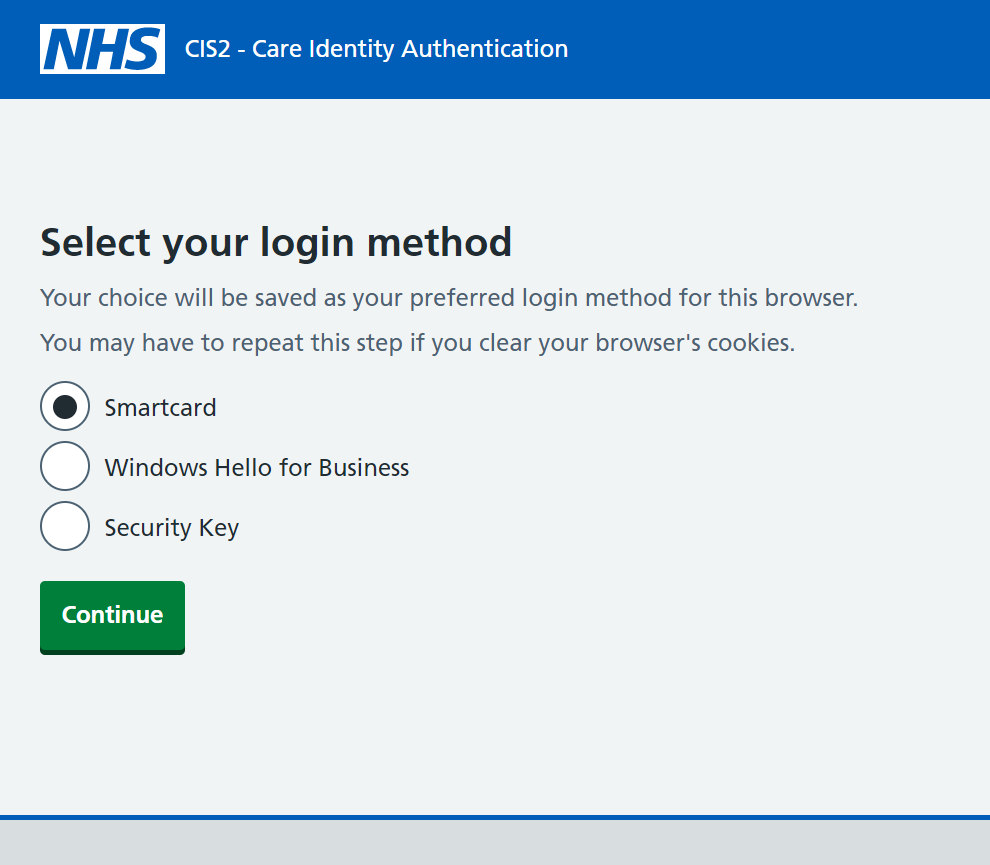
Go to the national clinical information system that you wish to access. Some systems will automatically send you to the NHS CIS2 authentication page. Others may require you to select a login button. See the full list of organisations using NHS CIS2.
Select 'Smartcard' and then 'Continue'.
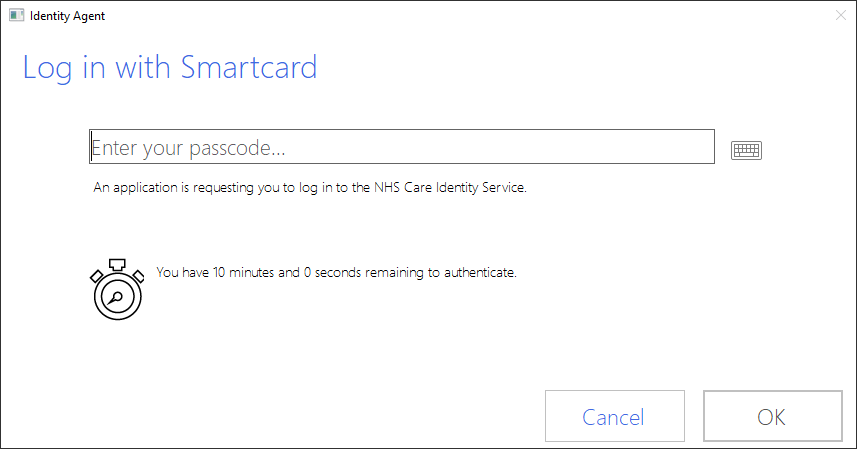
Enter your passcode and select 'OK'.
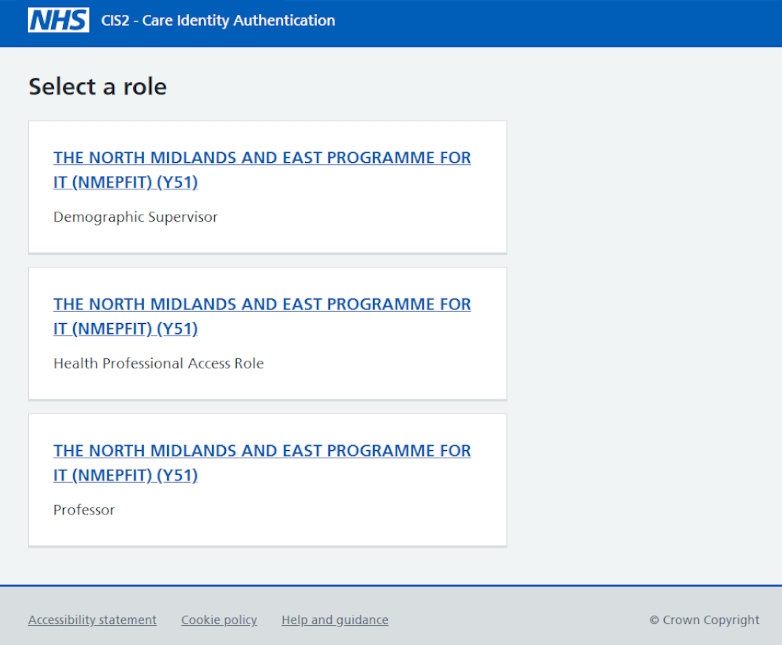
When authentication is complete, you will either be taken to the system you wish to access straight away or alternatively, you may be given an option to select the role you want to use.
Role selection
You may be offered a screen to select the role you want to use. This is dependant on the application you are using and the number of roles that you have assigned to you.
If you have:
- only 1 role, that role is selected for you and and won't see the Role Selection page
- 2 - 5 roles, they will be listed for you to select from. Select the role you want to use.
- more than 5 roles, they will be listed for you to select from as well as a search box to filter the list
Once you have found the appropriate role, select the role you want to use.
Registering users
Each user must have their own smartcard.
Smartcards are managed by a Registration Authority (RA). They are responsible for issuing and printing smartcards.
Smartcard certificates must be renewed every 3 years.
More help for smartcard users
Read our detailed guidance for smartcard users if you:
- need to unlock your smartcard
- have forgotten or need to change your passcode
- want to renew your smartcard certificates
- have lost your smartcard
Support
You can get support by going to the National Service Desk Customer Portal or emailing [email protected]
Last edited: 30 March 2026 12:37 pm