Microsoft Authenticator user password reset
Users who forget their passwords when authenticating using Microsoft Authenticator can now reset their password, instead of having to re-register their authenticator.
Follow this process to reset your password as a Microsoft Authenticator user.
Health and care professionals who select the Microsoft Authenticator app method will see the "Forgot password?" link below the "Continue" button.
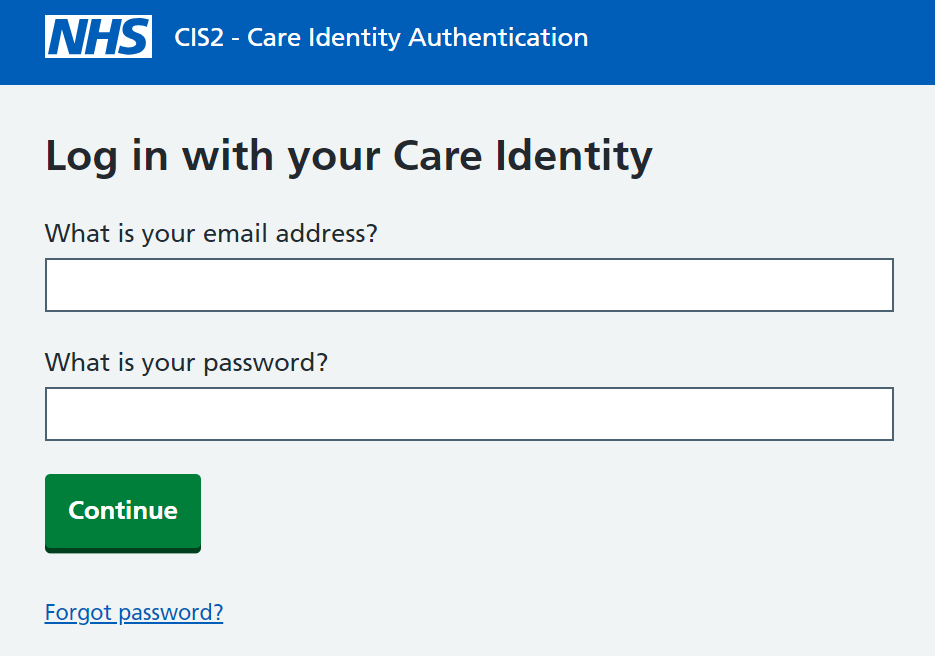
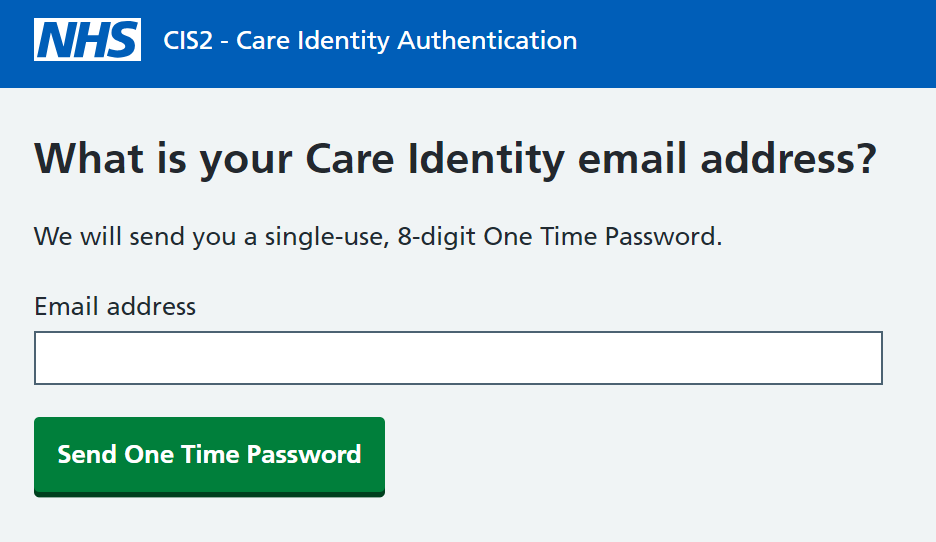
Selecting "Forgot password?", the user will be asked to enter their Care Identity email address.
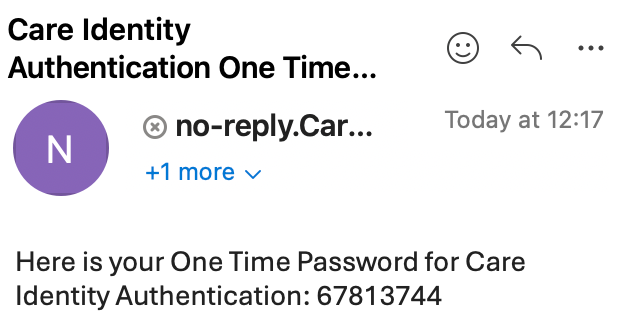
The user will then receive an email from [email protected] containing a one time password.
They'll be guided to enter that code into the next screen.
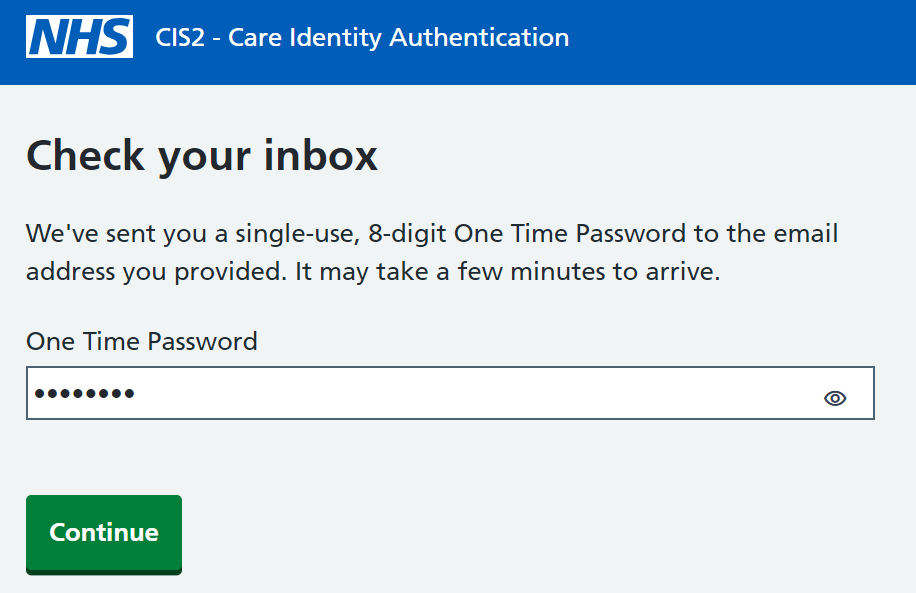
Entering the correct code and selecting to continue, the user will be asked to enter the verification code from the Authenticator app.
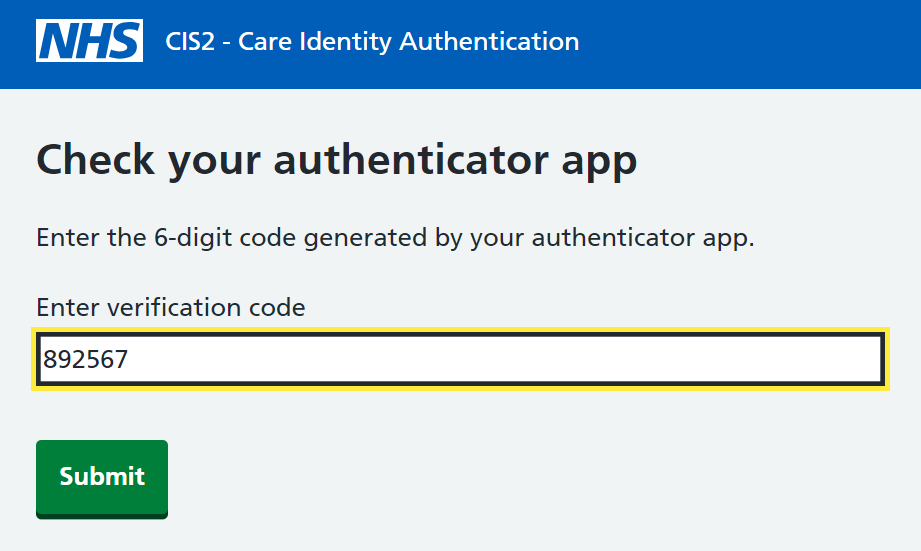
Having entered the correct verification code and selected the submit button, the user will be asked to create a password.
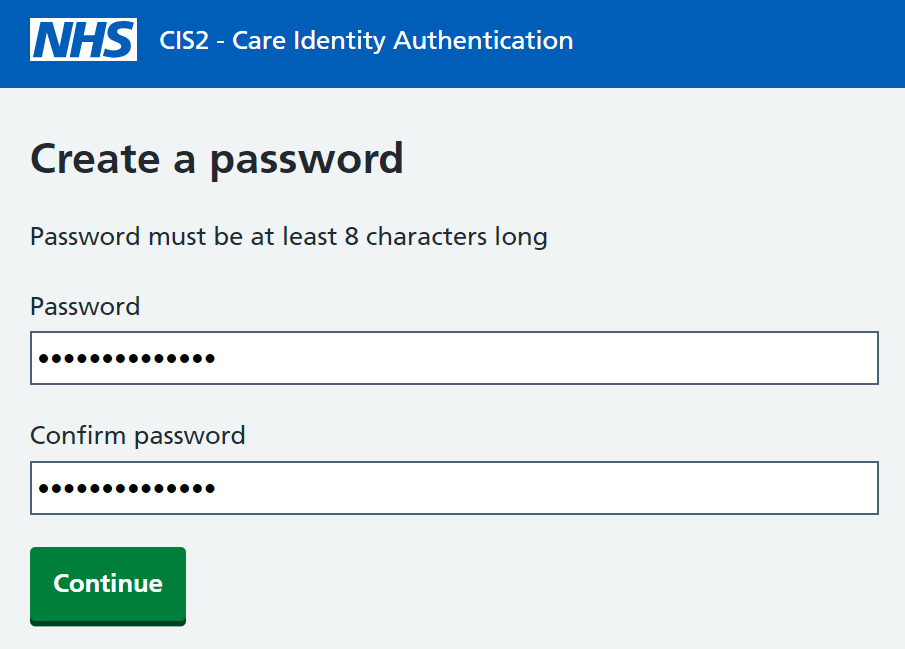
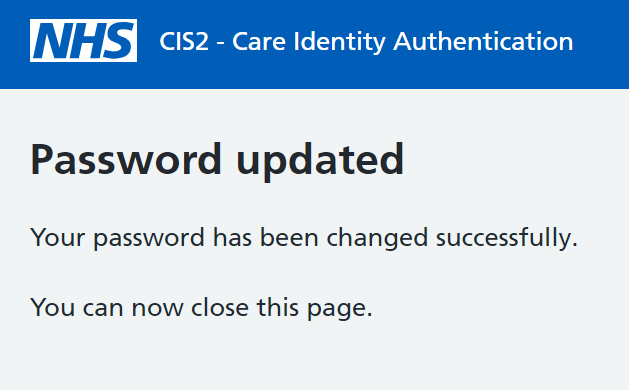
Once the new password is set, a confirmation message will be displayed and the user can now use their new password when using the "Authenticator App" option with NHS CIS2 Authentication.
Last edited: 18 January 2024 2:47 pm