Microsoft Authenticator
Information about NHS CIS2 Authentication using Microsoft Authenticator.
What is Microsoft Authenticator?
Microsoft Authenticator provides an authentication mechanism, alongside an email address and password, that allows users to authenticate into AAL2-enabled applications, such as NCRS.
Multifactor Authentication is a common standard and many users are already be familiar with it to log in to their NHS Mail accounts.
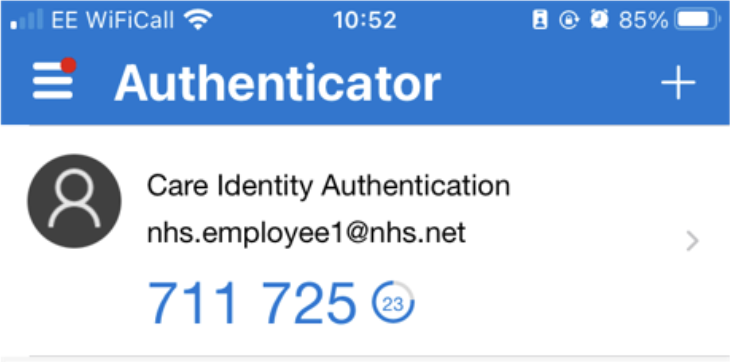
- Enables secure authentication to national clinical information systems - without the need for a smartcard and reader
- Free app that many people have already
- No certificate renewals required
How it works
Read our guidance on how to authenticate using Microsoft Authenticator.
Security and service level
Using NHS CIS2 Authentication and Microsoft Authenticator is more secure than a username and password.
CIS2 Authentication is a platinum service supported 24 hours a day, 7 days a week. See our latest availability statistics.
Case study
Carers at Canterbury Care Home accessing NCRS pilot
The organisation and service
Canterbury Care homes have been delivering person-centred care since 2005, and currently operate three individual care homes in England and Scotland.
Each resident receives bespoke support to become as independent as possible and enjoy the next chapter of their lives to the full.
As part of wanting to improve the quality of the service they provide, carers at Canterbury Care Home wanted to remove the need to chase GPs and wait weeks for them to respond about a patient's medical history.
Moving to NHS CIS2 Authentication
Most Care Home staff had the Microsoft Authenticator app already installed on their personal phones. For those that didn't, they were able to easily download it from the Apple App store or Google Play store.
Care Home staff using business phones had the Microsoft Authenticator app installed for them by their local IT support.
The experience
With the introduction of accessing NCRS using NHS CIS2 Microsoft Authenticator they can now look up the information themselves, saving theirs and the GP's time and improving the level of care that they provide.
To not have to rely on a GP getting back, and to have 24/7 access to care records is incredibly useful.
Help for IT teams

Microsoft Authenticator is currently enabled for several applications
Microsoft Authenticator is currently being used to access AAL2-enabled applications by organisations across health and care settings.
Microsoft Authenticator is available now for all organisations to use. If you would like further information please contact the NHS England Identity and Access Management team at [email protected]
Procurement
No procurement is required - the Microsoft Authenticator App is free to download and install with minimal effort.
To use Microsoft Authenticator, the user's email address domain must be on the NHS CIS2 Authentication email domain whitelist.
Registering devices to users
To enable Microsoft Authenticator App for use, users need to request and complete an Authenticator Registration from a Registration Authority (RA).
Out to NHS CIS2 Authentication
Both end users and applications need to be allowed to send requests out to https://am.nhsidentity.spineservices.nhs.uk/.
This domain is on randomly allocated IP address and is subject to change.
In from NHS CIS2 Authentication
Whenever the user's NHS CIS2 Authentication session is destroyed (e.g. on expiration), NHS CIS2 Authentication can send Back-Channel Logout requests to the application.
These requests come from a small number of fixed IP ranges.
The application, therefore, may require that its hosting network allows requests from NHS CIS2 Authentication to be routed through firewalls to the application.
If the application is installed within trust networks, it is recommended that these are isolated on web servers and not directly exposed on critical internal servers.
Support
You can get support by going to the NHS Digital Customer Portal or emailing [email protected]
Last edited: 24 December 2025 9:39 am