Managing the service using NHS Profile Manager
Find out how to use NHS Profile Manager to manage the Register with a GP surgery service.
What is NHS Profile Manager?
NHS Profile Manager is a platform that helps you manage your NHS profiles. It has replaced the older the NHS website profile editor.
This is the platform you will use to manage the Register with a GP surgery service for your practice.
If you have not used NHS Profile Manager before, you will need to register for it first.
How to sign up to the Register with a GP surgery service
Most practices in England are already using the service. However, if your practice is not, here is how you can sign up using NHS Profile Manager.
Sign up with your personal NHS email address.
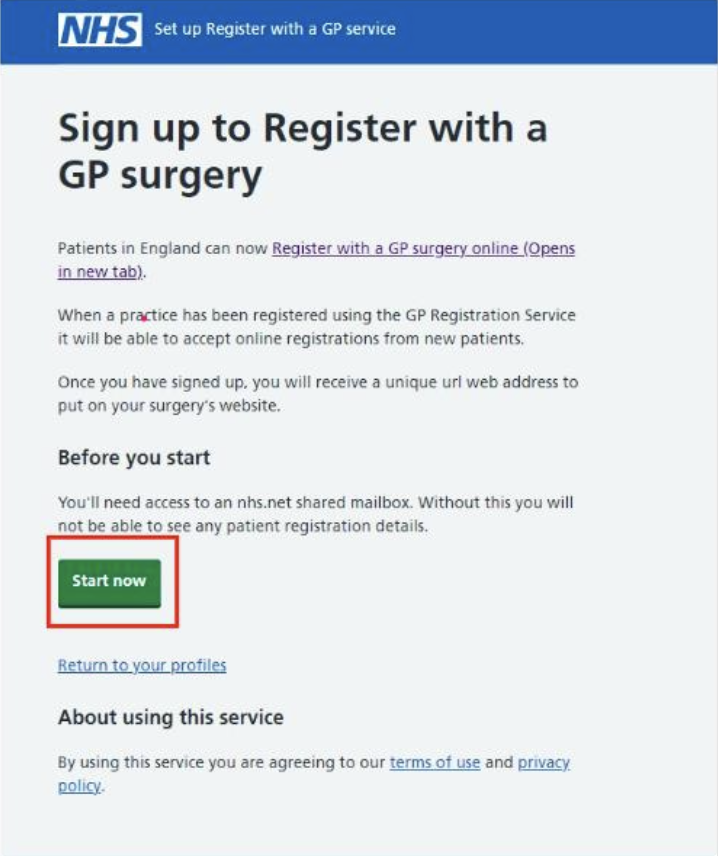
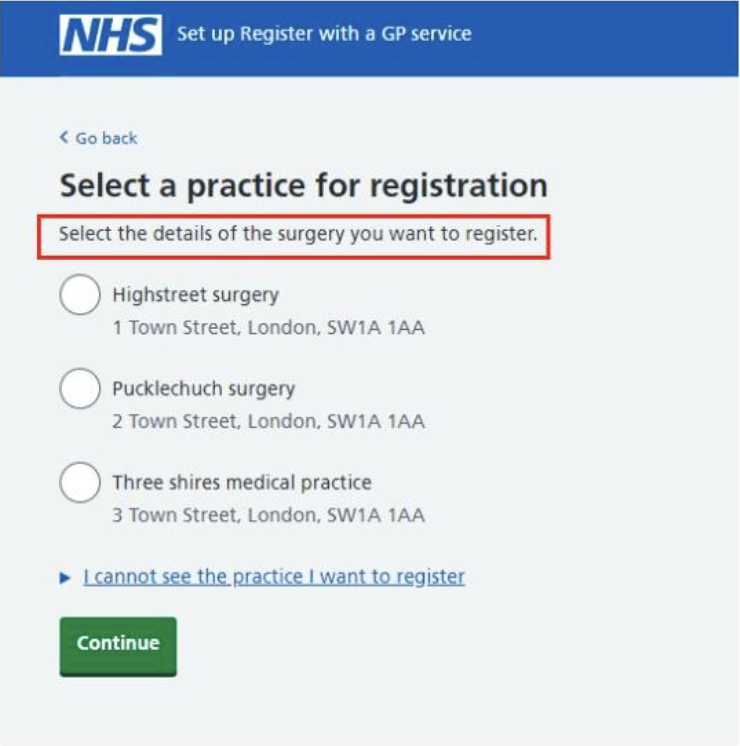
Link your practice's ODS code with your NHS Profile Manager account. You will see a list of practices. Choose all the practices you want to enrol.
Add your practice's shared inbox to NHS Profile Manager.
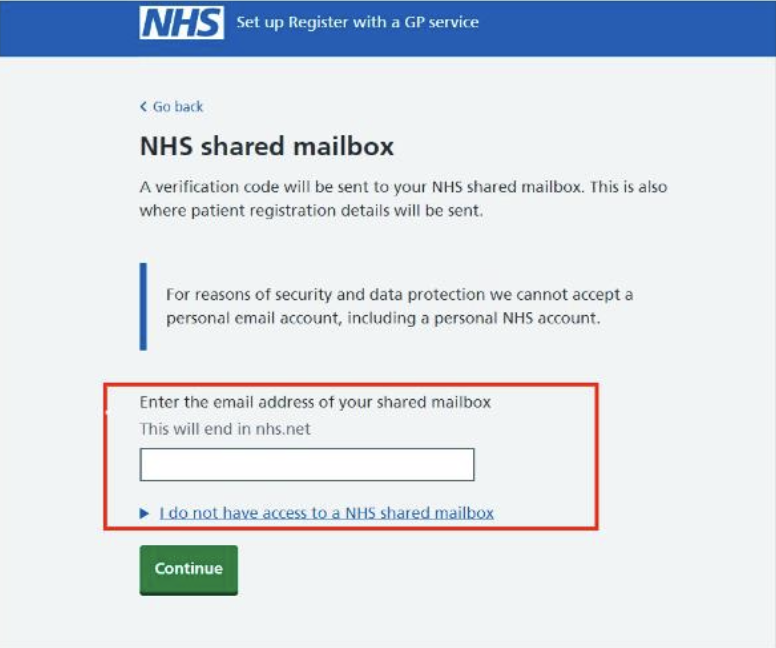
Only add a mailbox address that:
- you check every day
- everyone in your team has access to
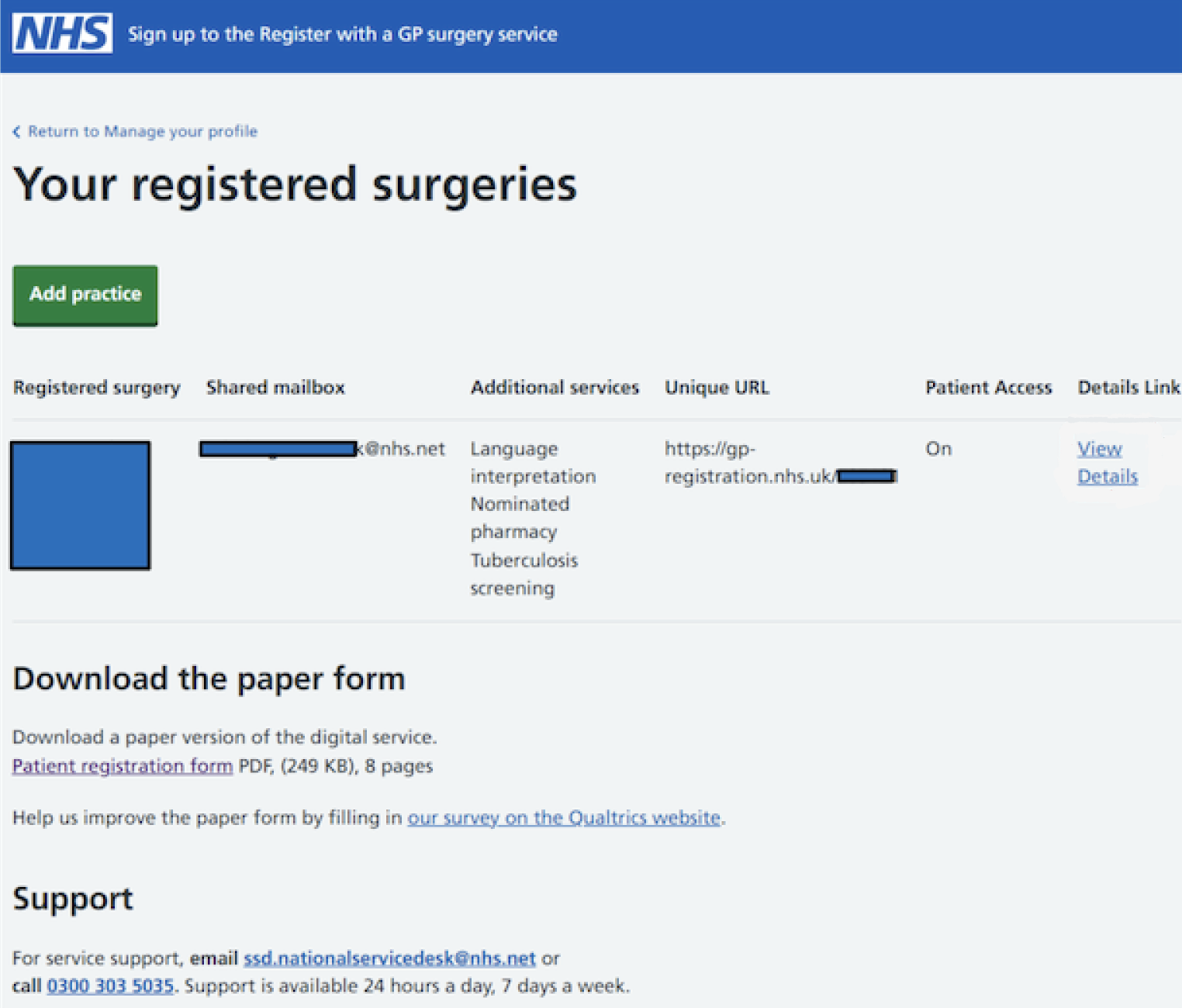
Viewing your surgery settings page
After you have signed up to the service, you will be able to manage features using the surgery settings page.
This page will show you all the practices that you have signed up to the service, including branch sites.
How to manage Manage patient registrations
Manage patient registrations is a new portal that makes it easier for you review new registrations. It also includes auto registration, which can be used to save even more admin time when processing approximately 30% of registrations.
It is currently only available for SystmOne/TPP users.
To turn on auto registration:
- Log in to NHS Profile Manager and select the Register with a GP surgery service.
- Go to Surgery settings.
- Select Manage next to your practice details.
- In the list below the name of your practice, find Manage patient registrations.
- Select Change.
- Review the information on the next page, then select yes if you want to turn on Manage patient registrations.
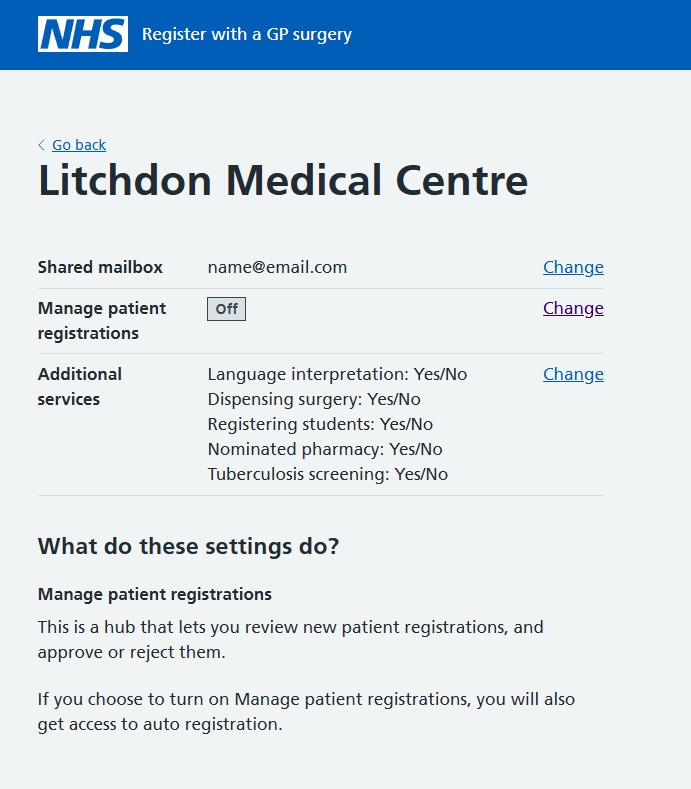
This is an example of the next screen, which explains what Manage patient registrations does:
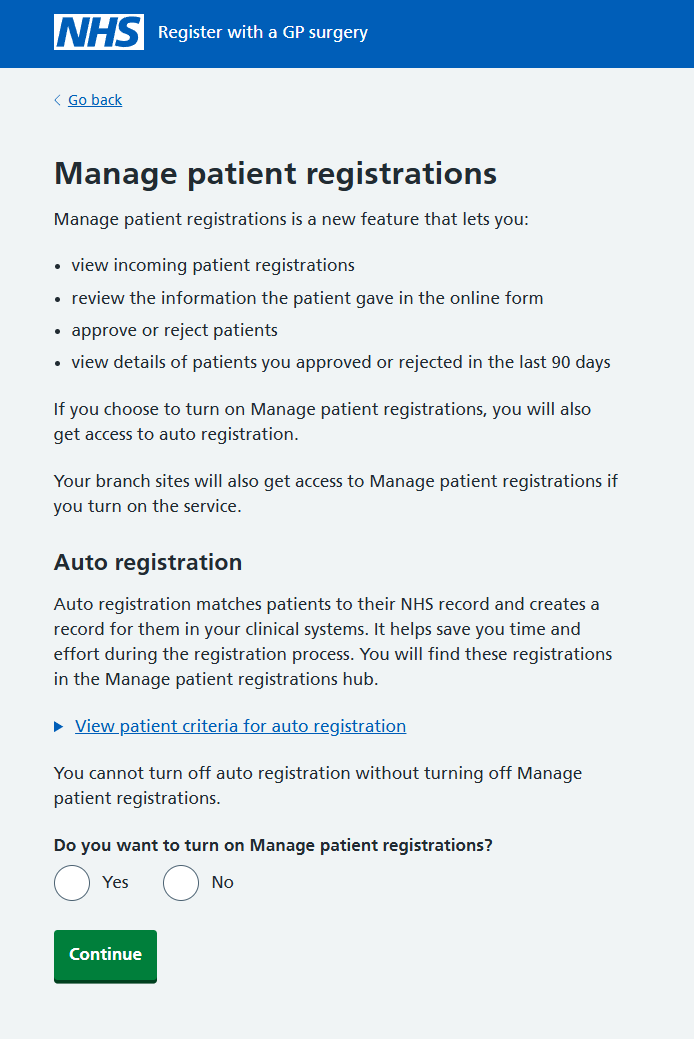
If you use Optum clinical systems
You can register your interest in Manage patient registrations through NHS Profile Manager. Follow the steps to turn on Manage patient registrations. Your information will be saved and you will be contacted when the functionality is available.
Adding extra questions
You can add extra questions to the online form through NHS Profile Manager. These questions will be added to your online form.
You do not have to add them all at once. You can choose which ones you want to add at any time.
You can ask patients if they:
- want to get their prescription items directly from your practice
- want to nominate a pharmacy to get their prescriptions from
- need an interpreter at their appointments
- are university students
- are eligible for tuberculosis screening
You can manage these questions in your surgery settings page. For each question, you can select yes to turn the question on or no to turn them off.
Directing patients to a local form
If you use HealthTech-1 to ask patients additional questions after they have finished registering on our service, you can use NHS Profile Manager to link to that form.
- Go to your surgery settings page.
- Select the local form question.
- Select yes to turn the form on, or no to turn the form off.
- Select continue to save your answers.
This will help patients access this extra form after they have finished registering on our service.
Local health forms are not a replacement for the paper form (PRF), or the online Register with a GP surgery service from NHS England.
Accessing the paper form
You can download a version of the paper form to use in your practice.
Go to your surgery settings page. The link to download the paper form is at the bottom of the page.
Pausing the service
If you need to pause the service, you will need to speak to your ICB or cluster first, then raise a ServiceNow ticket. You cannot do this on your surgery settings page.
Last edited: 17 June 2026 10:40 am