NHS England Portal user guide
How to raise a service request or report an incident to the NHS England Wayfinder Service Management team.
Overview
Use the NHS England Customer Support Portal to raise a service request or report an incident to the NHS England Wayfinder Service Management team.
A service request is a formal request from a user for something to be provided such as:
- information or advice
- password reset
- installation of a workstation for a new user
An incident is an unplanned interruption or reduction in quality of an IT service (a service interruption).
Register for an account
You can self register through the customer support portal.
For further guidance on how to register, click the User guide link at the top right of the page.
Submit a case
To report an incident or raise a request, submit a 'case' in the portal. The NHS England Customer Service Function will then triage the case and either create an incident or a service request.
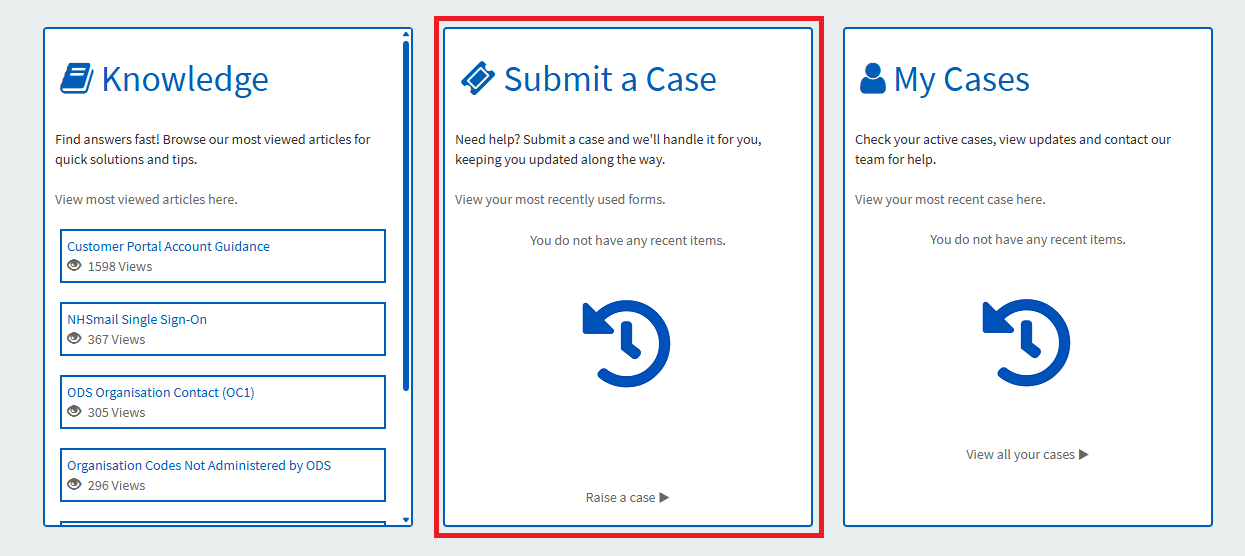
1. Click on the Submit a Case link on the homepage.
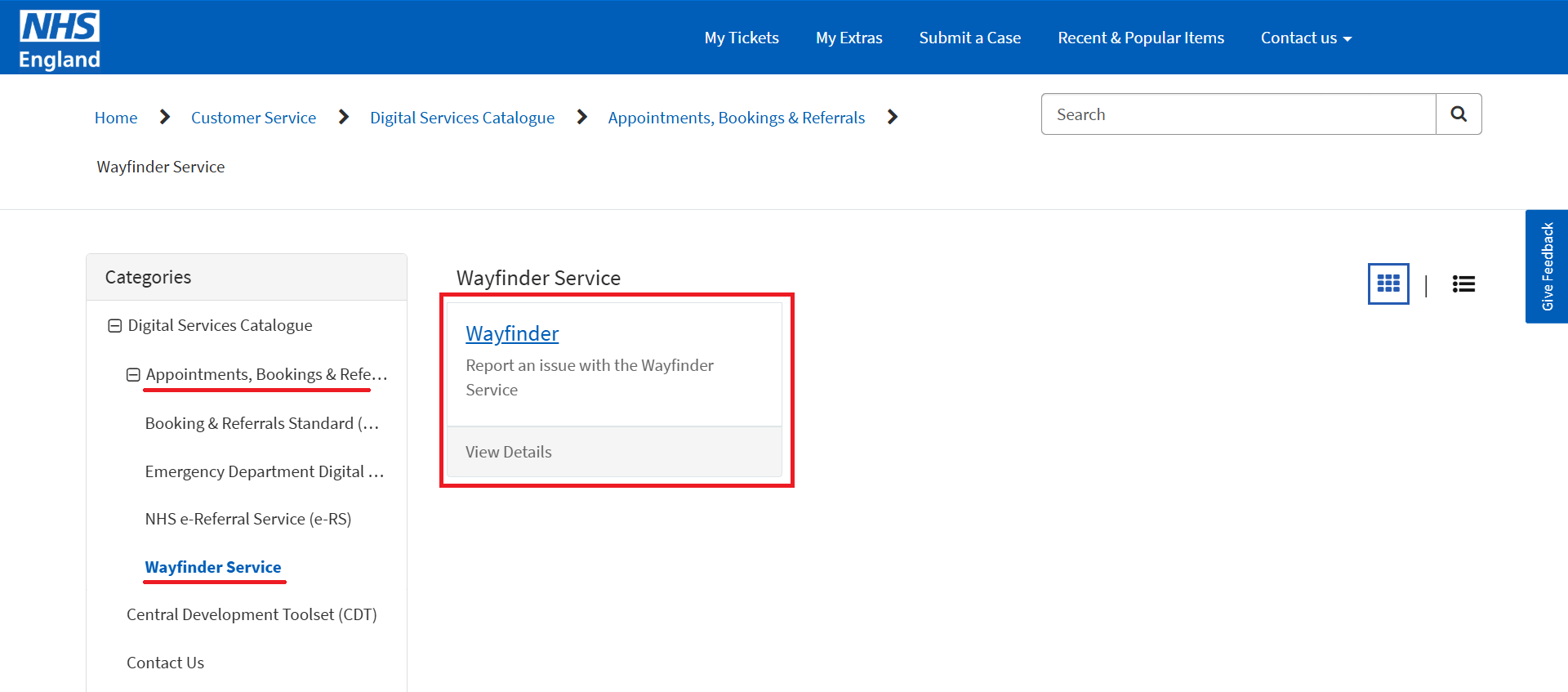
2. In the Categories menu on the left side of the screen, click on the Appointments, Booking & Referral link to expand the section. Click Wayfinder Service on the menu.
A Wayfinder tile will appear on the left. Click the Wayfinder link.
3. Complete the form with details of your issue or request. All items on the form that are mandatory are marked with an asterisk (*). There is an option to add an alternative contact and to attach a file.
4. Click Submit once you have completed the form.
Check for service outages
The Service Status page is updated with any outages (planned or unplanned) in real-time. You must be logged in to view the page.
You can find a link to the page on the Customer Support Portal homepage.
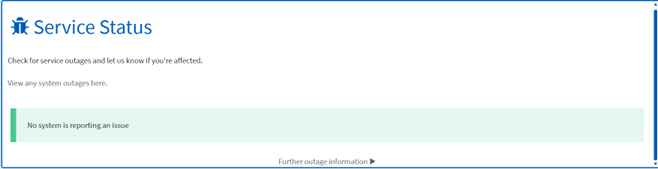
If you experience problems not listed on the Service Status page, create a case following the process in the section above to notify us something is broken.
Last edited: 13 March 2026 3:41 pm