Enabling prospective record access in SystmOne
Guidance for GP practices on how to enable full clinical record prospective access to online services for a cohort of patients who have a SystmOne online account.
1. SNOMED exclusion and inclusion codes
Check the SNOMED exclusion and inclusion codes (if any) have been correctly applied to patient records. We have provided some additional guidance about excluding individuals from having access to their health information.
2. Configure organisation preference for full clinical record access
To configure the organisation preference for online services patient record access.
- Go to Organisation Preferences > Online Services > Patient Record Access.
- Tick Enable full clinical record access.
- Tick By default give prospective access to the full clinical record.
- Select the appropriate option for your organisation's default online record access.
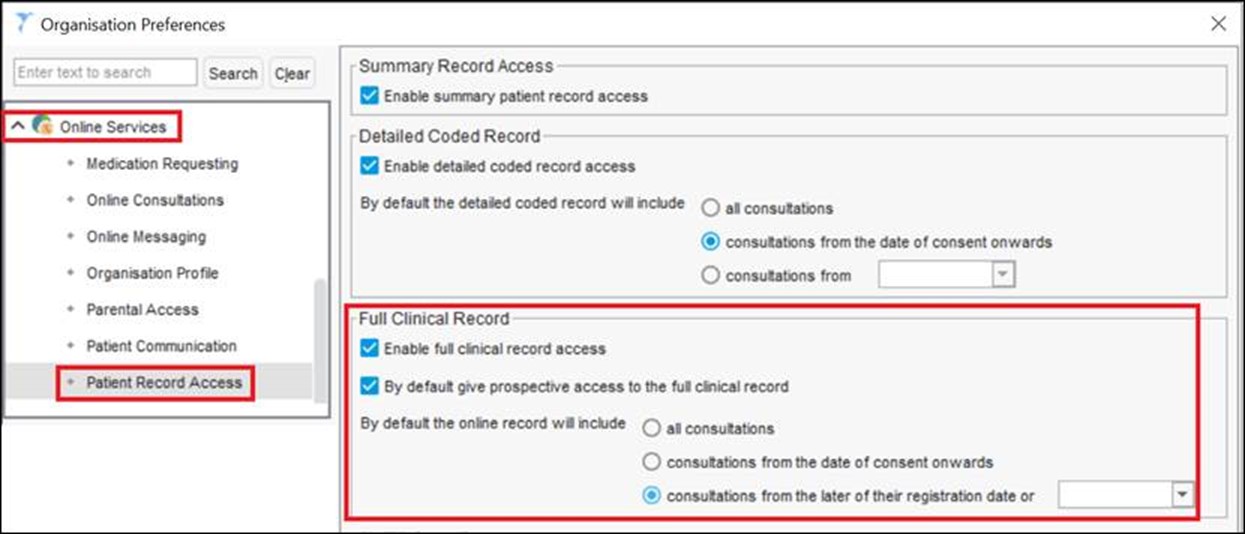
5.Select Ok to close the Organisation Preferences window.
3. Grant full clinical record online access to patient cohort
Use the clinical report provided and SystmOne bulk action to grant full clinical record access to patients.
1. Go to Reporting > Clinical Reporting.
2. Run the clinical report called Accelerated Access: Cohort 2.
3. Right click on the report and select Actions > Grant Additional Online Services Access from the popup menus.
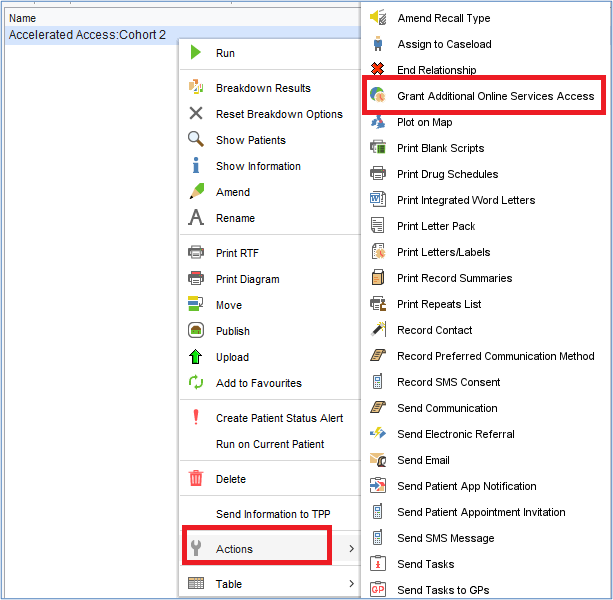
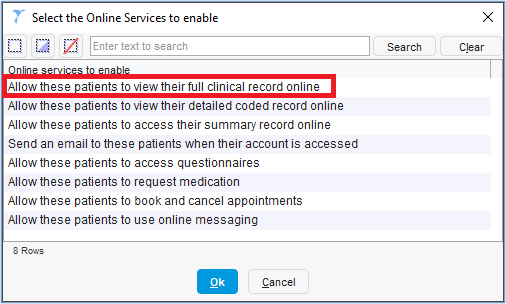
4. Select Allow these patients to view their full clinical record online.
5. Select ok.
6. Select Yes – Full Content from Date.
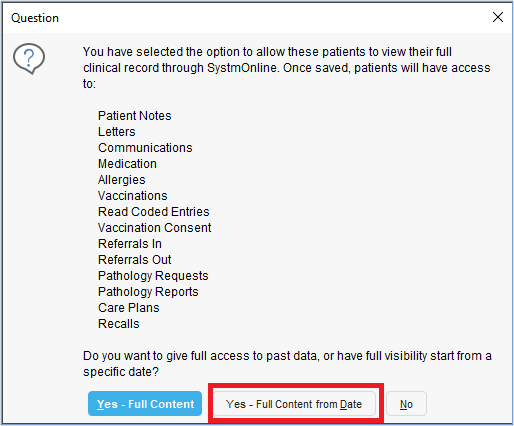
7. Select Ok to close the full clinical record access window.

The ‘show full content from’ date displayed is the Organisation Preference date set in Step 2.
8. Select Ok to close the Information window.

The bulk action has a limit of 5000 patients. If the clinical report identifies more than 5000, create clinical reports that identify smaller cohorts.
The new reports should Join to accelerated access: cohort 2 and specify age (or another parameter) to reduce the patient count.
Run and apply the bulk action to each new report.
Last edited: 27 March 2024 4:46 pm