Previewing and downloading files in the NHS e-Referral Service
To improve workflow efficiency, providers (October 2025 onwards) and referrers (date to be confirmed) will have a new feature which will allow them to preview and/or download files attached to referrals and advice requests within the NHS e-Referral Service (e-RS).
Changes for providers
December 2025 - Enhancements when viewing image files
Since this update, provider users accessing image files are able to preview these within e-RS and have the ability to navigate the image. For example, zoom in/out, pan and drag, fit-to-screen/reset zoom, rotate.
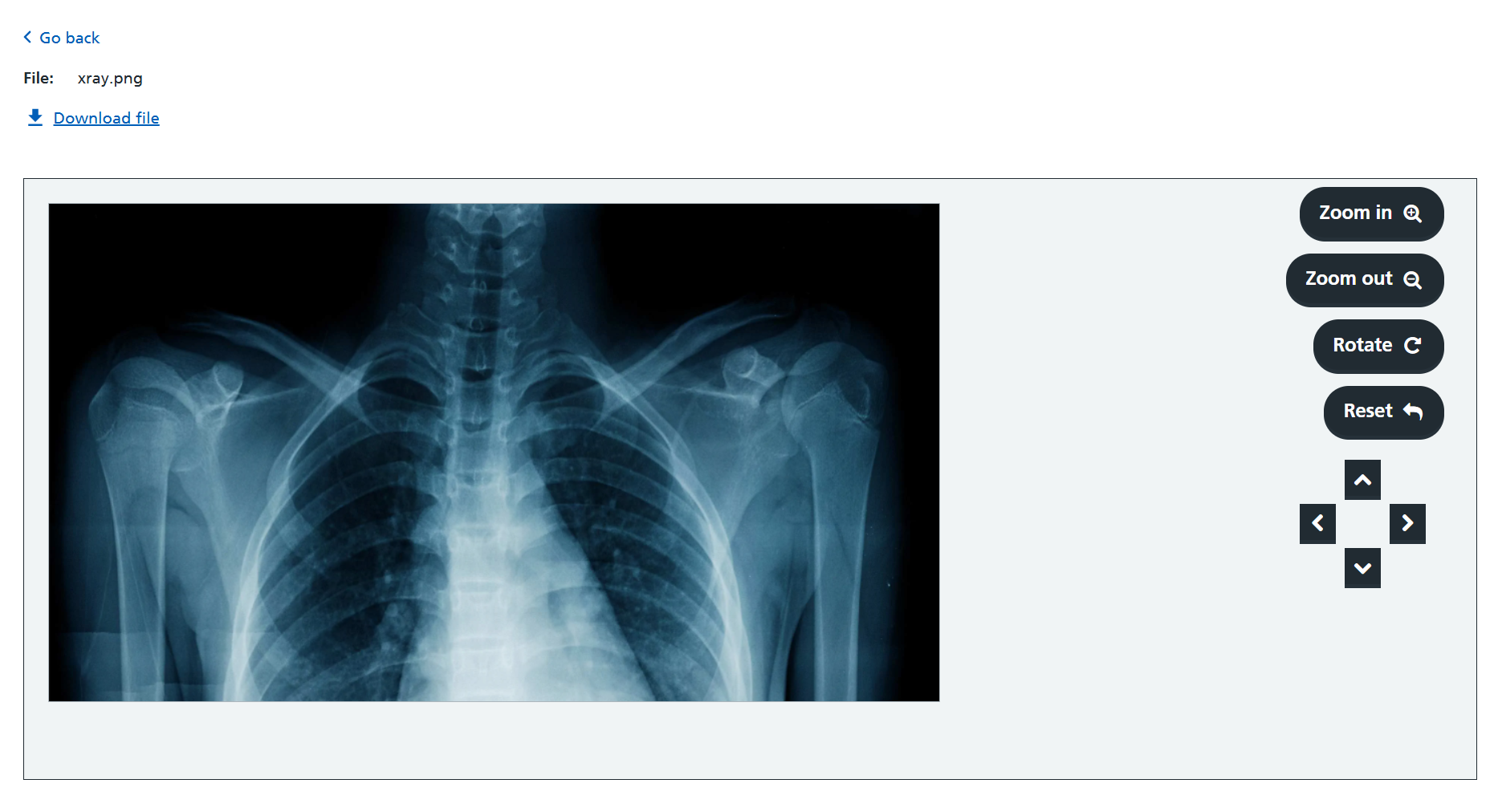
There is currently an issue stopping users from panning images upon opening the image preview. To enable panning, users must first select the 'Reset' option.
October 2025 Previewing and downloading files within e-RS
Providers are able to view files via a new ‘Preview’ option which displays the file within the e-RS screen and/or download files attached to referrals and advice requests.
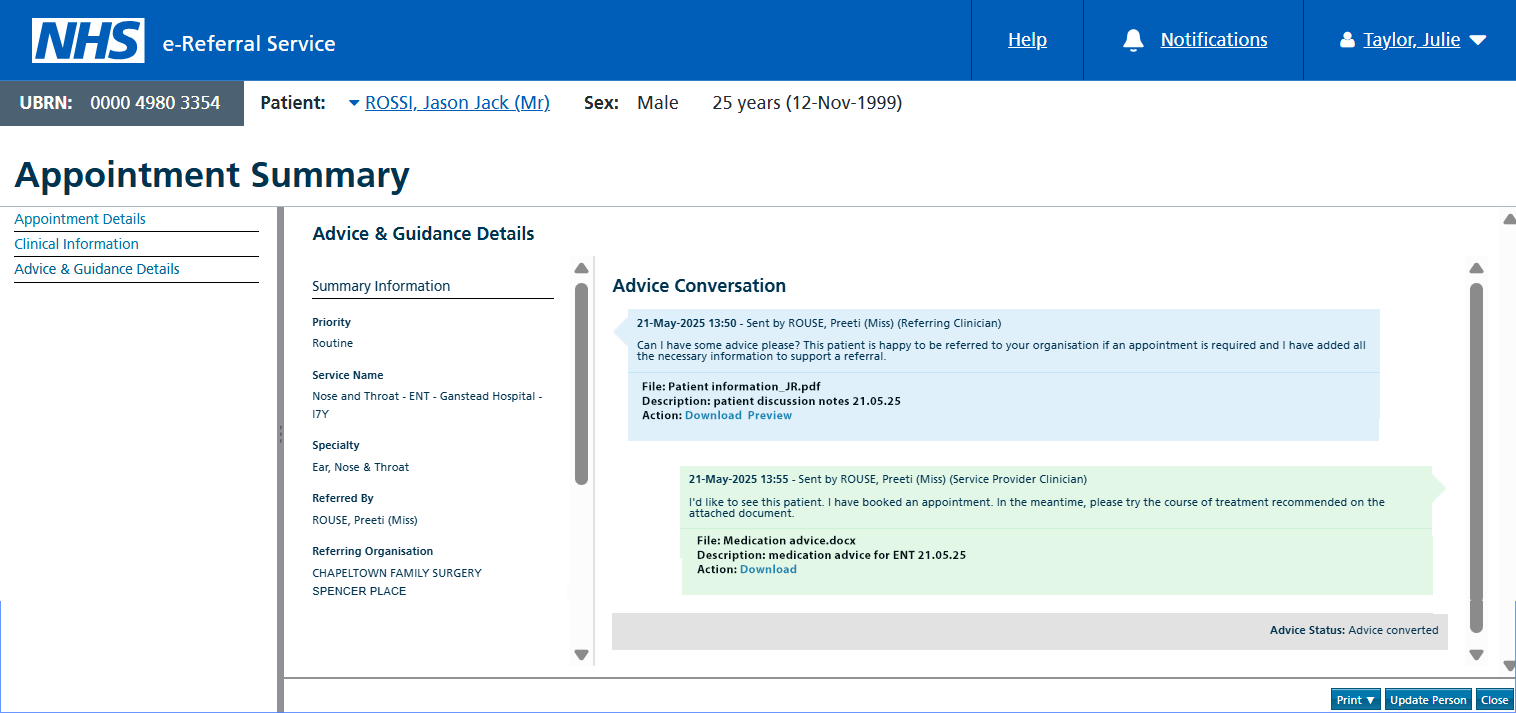
Previewing clinical attachments
The ‘Preview’ option is shown when the file type is supported by the user’s browser.
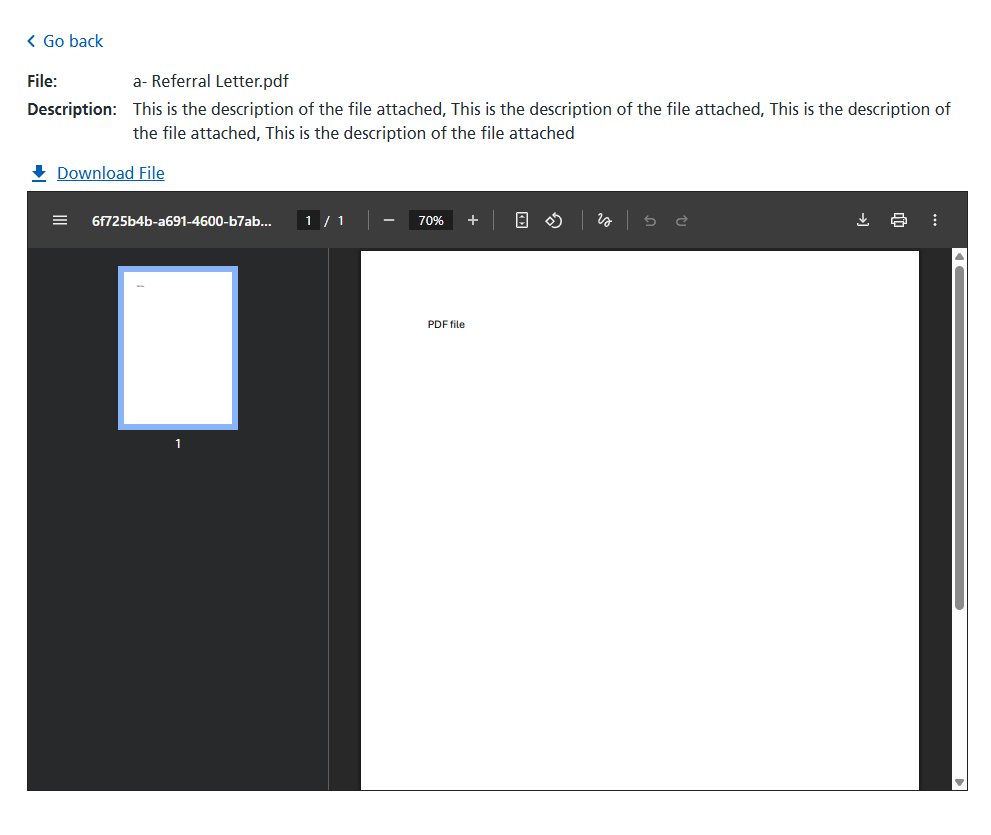
Selecting ‘Preview’ will open the file on screen. The file name and file contents will be shown and attachment description presented where available. A ‘Go back’ button will be displayed at the top left of the screen to return to the previous screen. The file can also be downloaded from this preview screen, if needed.
Downloading clinical attachments
A ‘Download’ link option is displayed under or next to the ‘Action’ field for referrals or advice requests.
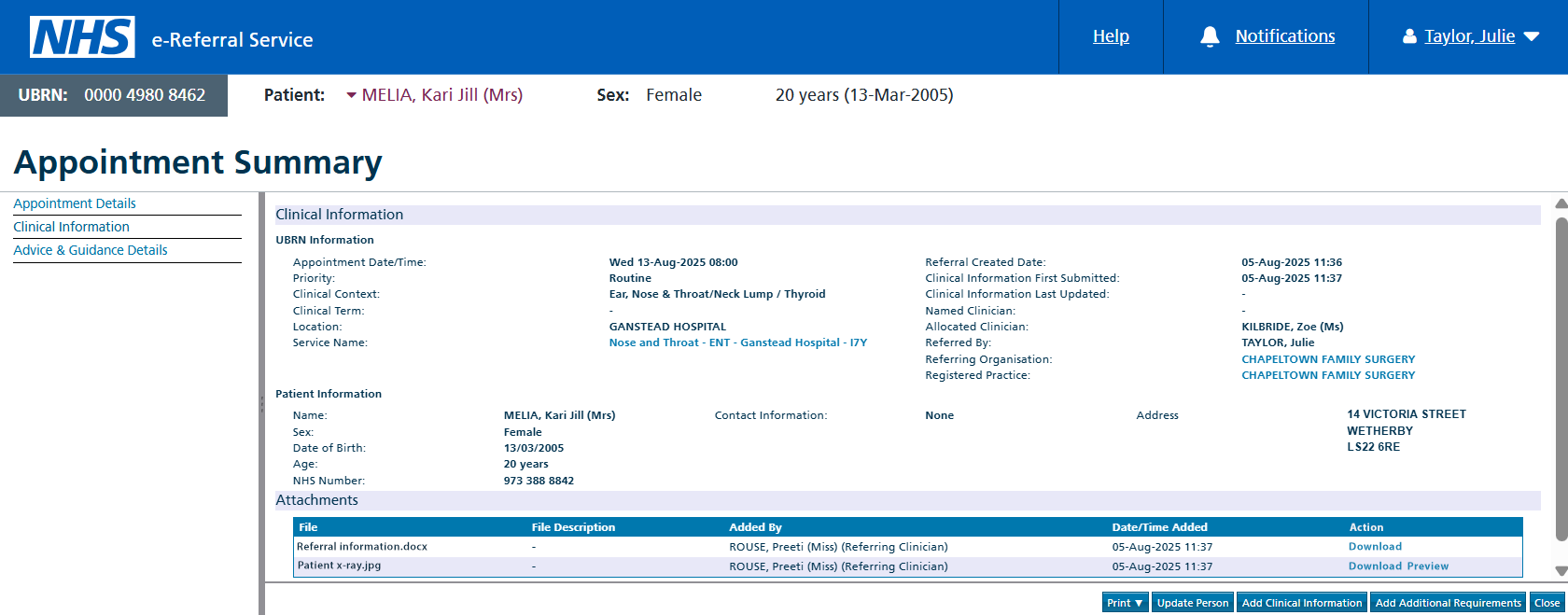
When selected, the clinical attachment is downloaded to the user's local device as it is currently.
Use of robotic software (RPAs) or ‘screen-scrapers’ to download e-RS attachments is not supported for use with the e-RS application as Application Programming Interfaces (APIs) are available that enable this automation. APIs are secure, robust and allow organisations to access e-RS functionality, or data, within their own integrated system. Organisations currently using RPAs should contact their relevant Patient Administration System (PAS) or Electronic Patient Record (EPR) supplier for more information.
Find out further information on e-RS APIs.
Last edited: 17 December 2025 11:43 am