View workgroups assigned to a user
Step-by-step guidance on how to find out which workgroups are assigned to a user profile.
Which roles can do this?
- Registration Authority Manager
- Registration Authority Agent (Advanced)
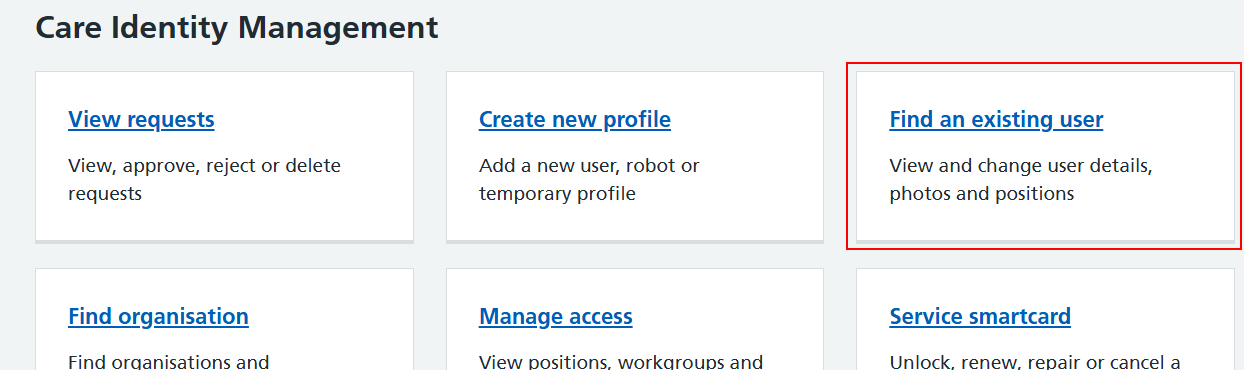
From the Care Identity Management home page, choose 'Find an existing user'.
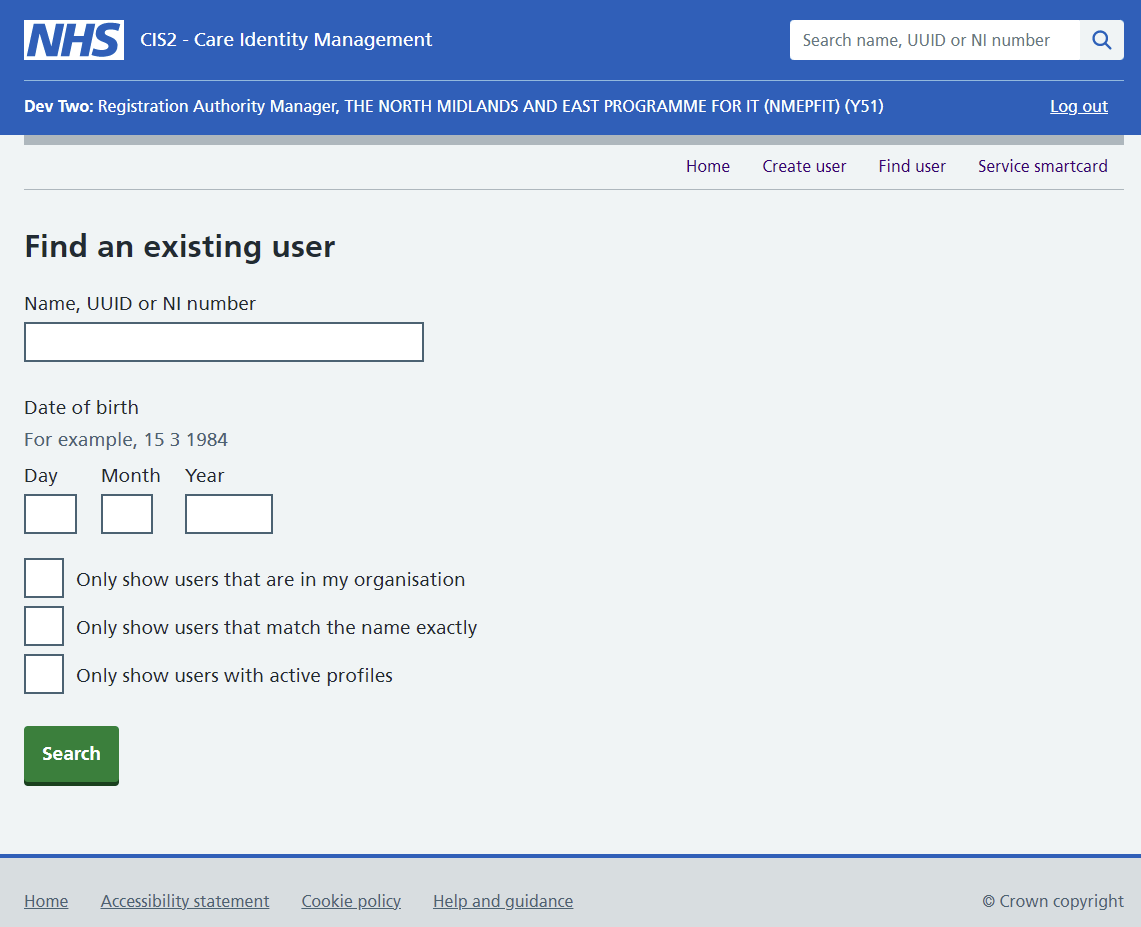
Enter the user's details and press Search.
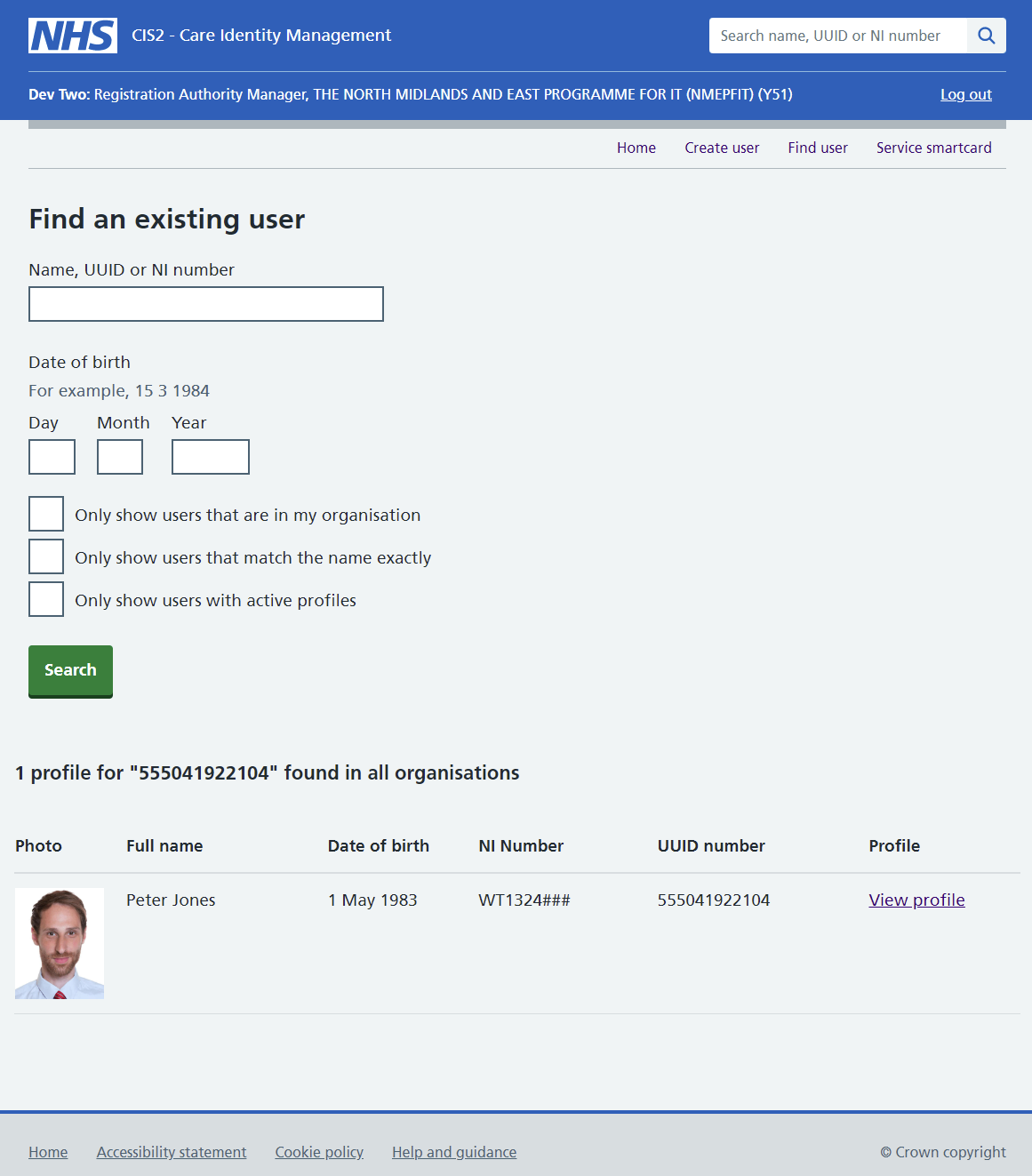
Choose 'View profile' on the right of the screen.
On the user details screen, scroll down to the section at the bottom and choose the 'Workgroups' tab.
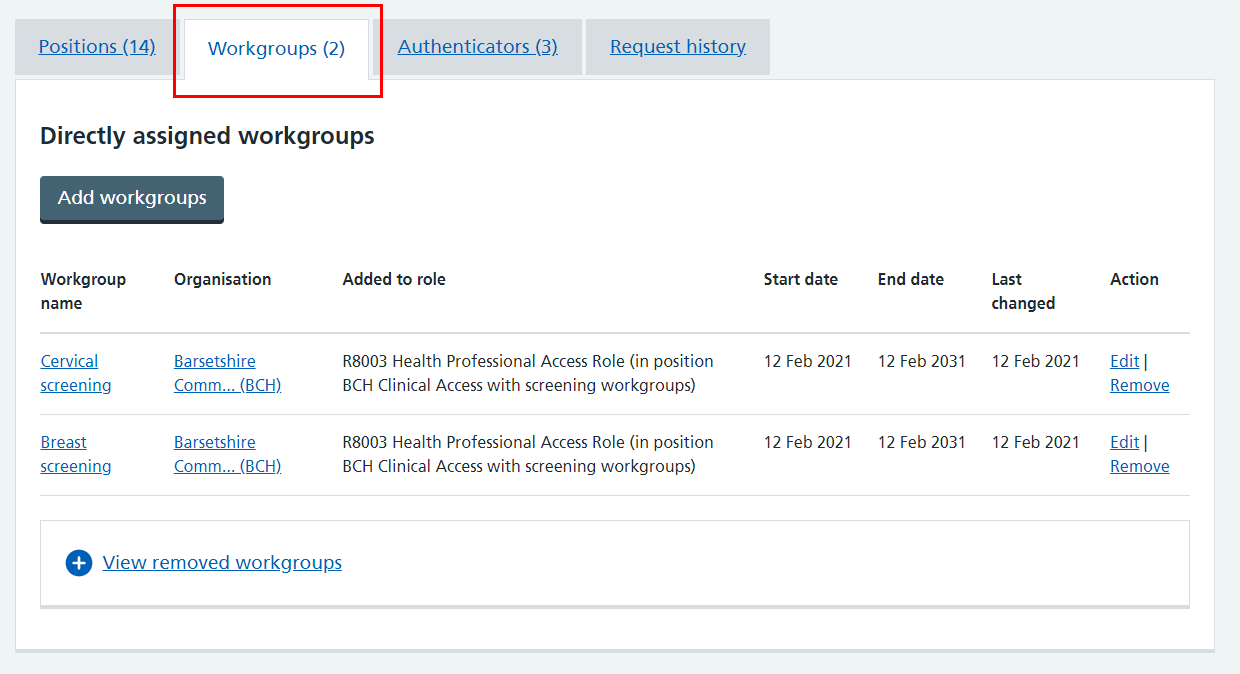
Within this tab you'll see details of the workgroups directly assigned to the user.
Last edited: 24 April 2025 2:29 pm