Change your own contact details
How to change your email address and telephone number in Care Identity Management.
Which roles can do this?
- Anyone with a Care Identity profile
Go to the Care Identity Management start page and log in with your smartcard or other authenticator.
From the Care Identity Management home page, choose 'View your profile'.
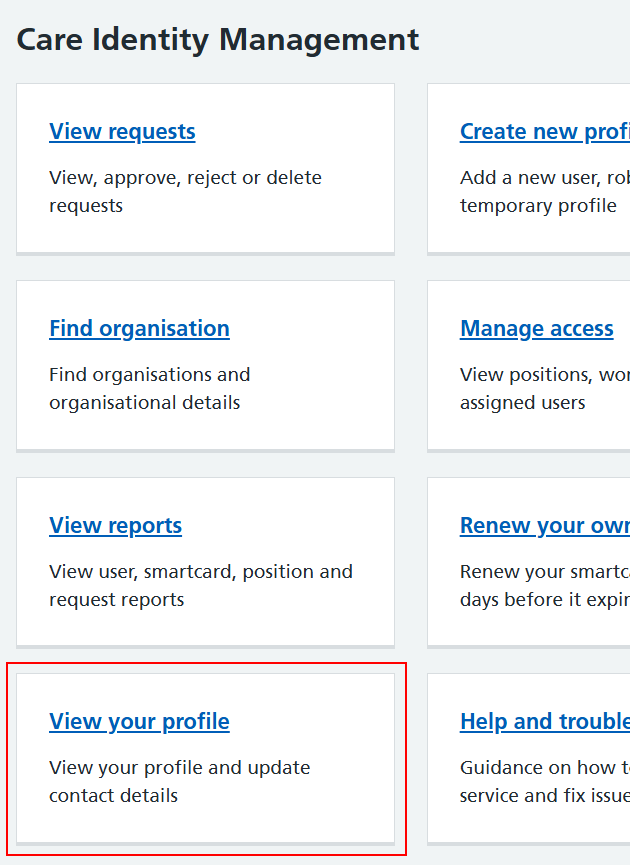
Note: the screenshot above shows the Care Identity Management home page for a clinical (non-admin) user. Registration Authority users will see different options when they log in, but 'View your profile' will be present for everyone.
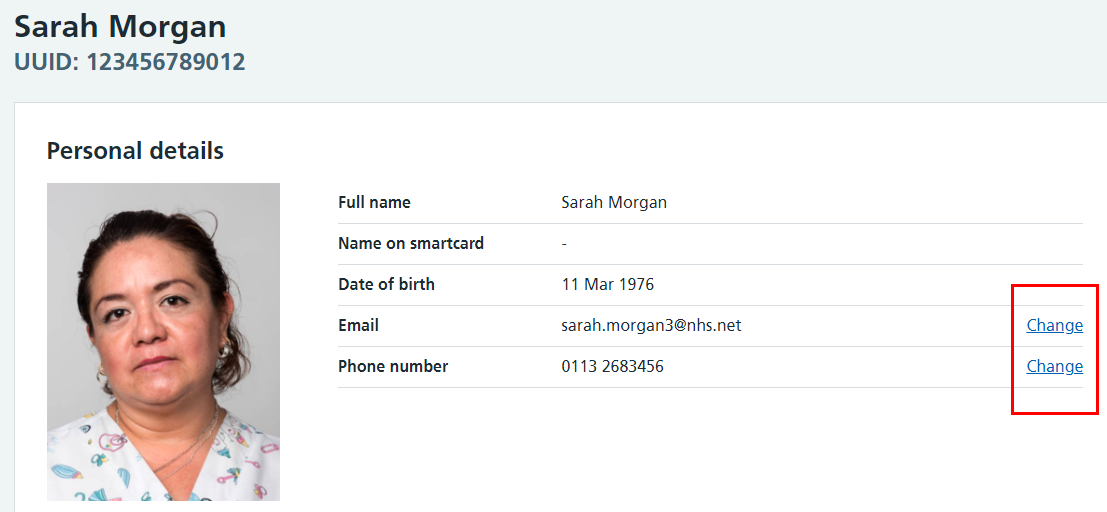
You'll now see your profile screen. Use the 'Change' links to the right to change your email address and phone number.
Last edited: 18 December 2025 9:29 am