Cancel a smartcard in Care Identity Management
Step-by-step guidance on how to cancel a smartcard in Care Identity Management.
Which roles can do this?
- Registration Authority Manager
- Registration Authority Agent (Advanced)
- Registration Authority Agent
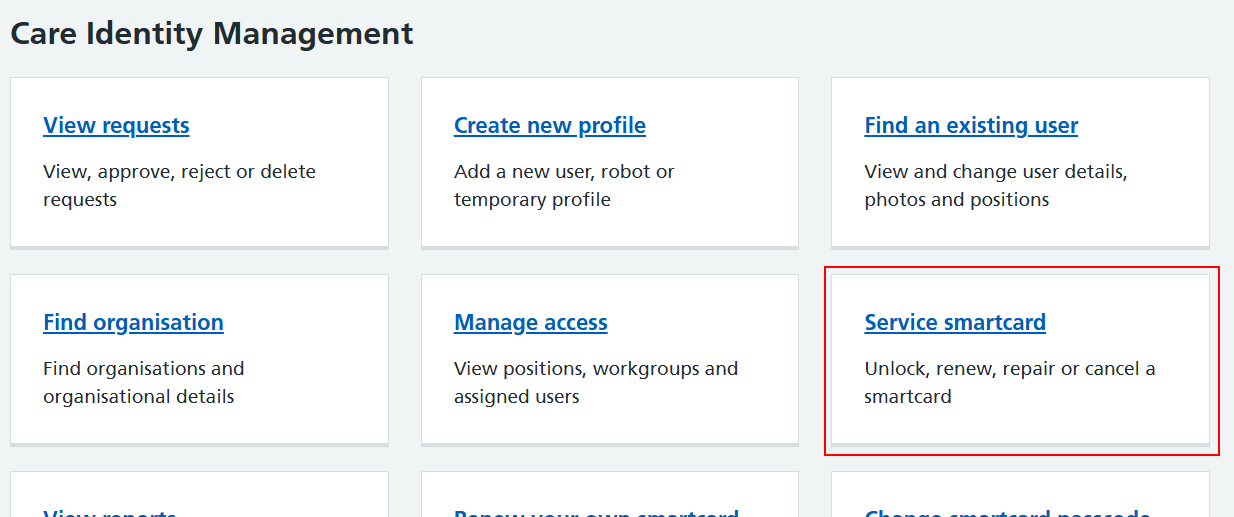
From the Care Identity Management home page, choose 'Service smartcard'.
You will now see the details of the user's smartcard. From the service options at the bottom, choose 'Permanently cancel smartcard'.
Note: the smartcard service options you see will depend on your role.
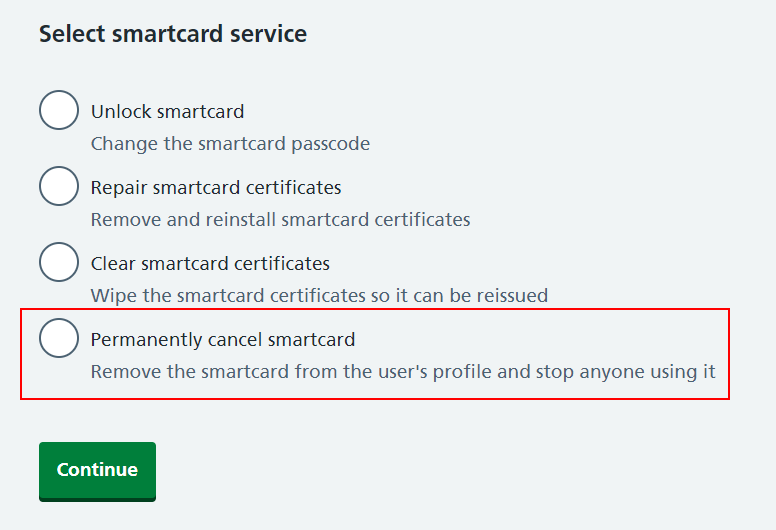
Previously the next step was to provide a reason for cancelling the smartcard but this is no longer required.
If the cancellation is successful you'll be taken to the user's profile page and you'll see a 'Smartcard cancelled successfully' message.

Last edited: 24 April 2025 3:02 pm